library(ggplot2)R Data Visualization: ggplot2
Plotting with the grammer of graphics
Lecture Summary
- Using
ggplot2to create simple plots- Data, aesthetics, geoms, layers
- Scales, labels, themes
- Custom themes
- Facets
patchwork- Saving plots
ggplot2
The most used packages in R1.
Developed by Hadley Wickham (we’ve seen his name before).
. . .
“gg” stands for “grammar” of “graphics”.
Loading the package
You sould already have ggplot2 installed, as it is part of the tidyverse.
If not:
renv::install("ggplot2"). . .
We just need to load it into our system.
An Example Dataset
We’ve seen this built in dataset mtcars before. It has values for 32 different cars.
mtcars mpg cyl disp hp drat wt qsec vs am gear carb
Mazda RX4 21.0 6 160.0 110 3.90 2.620 16.46 0 1 4 4
Mazda RX4 Wag 21.0 6 160.0 110 3.90 2.875 17.02 0 1 4 4
Datsun 710 22.8 4 108.0 93 3.85 2.320 18.61 1 1 4 1
Hornet 4 Drive 21.4 6 258.0 110 3.08 3.215 19.44 1 0 3 1
Hornet Sportabout 18.7 8 360.0 175 3.15 3.440 17.02 0 0 3 2
Valiant 18.1 6 225.0 105 2.76 3.460 20.22 1 0 3 1
Duster 360 14.3 8 360.0 245 3.21 3.570 15.84 0 0 3 4
Merc 240D 24.4 4 146.7 62 3.69 3.190 20.00 1 0 4 2
Merc 230 22.8 4 140.8 95 3.92 3.150 22.90 1 0 4 2
Merc 280 19.2 6 167.6 123 3.92 3.440 18.30 1 0 4 4
Merc 280C 17.8 6 167.6 123 3.92 3.440 18.90 1 0 4 4
Merc 450SE 16.4 8 275.8 180 3.07 4.070 17.40 0 0 3 3
Merc 450SL 17.3 8 275.8 180 3.07 3.730 17.60 0 0 3 3
Merc 450SLC 15.2 8 275.8 180 3.07 3.780 18.00 0 0 3 3
Cadillac Fleetwood 10.4 8 472.0 205 2.93 5.250 17.98 0 0 3 4
Lincoln Continental 10.4 8 460.0 215 3.00 5.424 17.82 0 0 3 4
Chrysler Imperial 14.7 8 440.0 230 3.23 5.345 17.42 0 0 3 4
Fiat 128 32.4 4 78.7 66 4.08 2.200 19.47 1 1 4 1
Honda Civic 30.4 4 75.7 52 4.93 1.615 18.52 1 1 4 2
Toyota Corolla 33.9 4 71.1 65 4.22 1.835 19.90 1 1 4 1
Toyota Corona 21.5 4 120.1 97 3.70 2.465 20.01 1 0 3 1
Dodge Challenger 15.5 8 318.0 150 2.76 3.520 16.87 0 0 3 2
AMC Javelin 15.2 8 304.0 150 3.15 3.435 17.30 0 0 3 2
Camaro Z28 13.3 8 350.0 245 3.73 3.840 15.41 0 0 3 4
Pontiac Firebird 19.2 8 400.0 175 3.08 3.845 17.05 0 0 3 2
Fiat X1-9 27.3 4 79.0 66 4.08 1.935 18.90 1 1 4 1
Porsche 914-2 26.0 4 120.3 91 4.43 2.140 16.70 0 1 5 2
Lotus Europa 30.4 4 95.1 113 3.77 1.513 16.90 1 1 5 2
Ford Pantera L 15.8 8 351.0 264 4.22 3.170 14.50 0 1 5 4
Ferrari Dino 19.7 6 145.0 175 3.62 2.770 15.50 0 1 5 6
Maserati Bora 15.0 8 301.0 335 3.54 3.570 14.60 0 1 5 8
Volvo 142E 21.4 4 121.0 109 4.11 2.780 18.60 1 1 4 2
An Example Plot
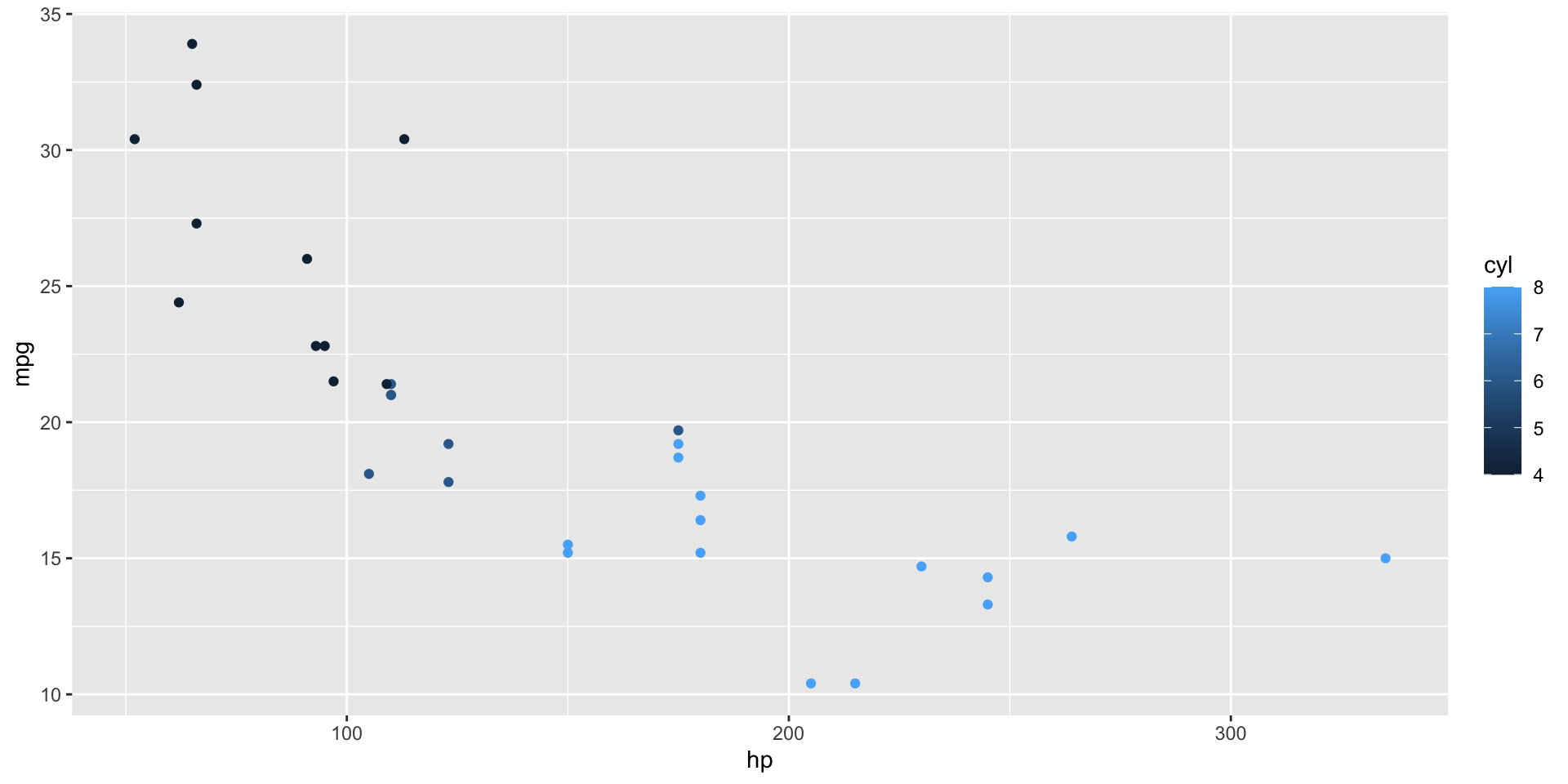
ggplot(data = mtcars, mapping = aes(x = hp, y = mpg, color = cyl)) +
geom_point()
. . .
Let’s look in detail how this works.
Elements of a ggplot
- Data
. . .
- Aesthetic Mapping
. . .
- Geoms (geometric objets)
. . .
- Layers
. . .
We will show each of these in our example plot.
An Example Plot
ggplot(data = mtcars, mapping = aes(x = hp, y = mpg, color = cyl)) +
geom_point()- Data
. . .
data = mtcars
. . .
- Data is always the first argument for a ggplot, so you will often see,
mtcars |>
ggplot(mapping = aes(x = hp, y = mpg, color = cyl)) +
geom_point()An Example Plot
ggplot(data = mtcars, mapping = aes(x = hp, y = mpg, color = cyl)) +
geom_point()- Aesthetic Mapping
. . .
mapping = aes(x = hp, y = mpg, color = cyl)
. . .
- Aesthetics on the plot (x, y, color) are linked to columns in your dataset (hp, mpg, cyl).
. . .
- This mapping translates our data variables into the “grammar of graphics”.
. . .
Once we have that, we can add a “geom”…
An Example Plot
ggplot(data = mtcars, mapping = aes(x = hp, y = mpg, color = cyl)) +
geom_point()- Geoms
. . .
geom_point()
. . .
- “Geom”s take our aesthetic mapping and draw objects to represent them on the chart
. . .
- In this case, we draw points.
. . .
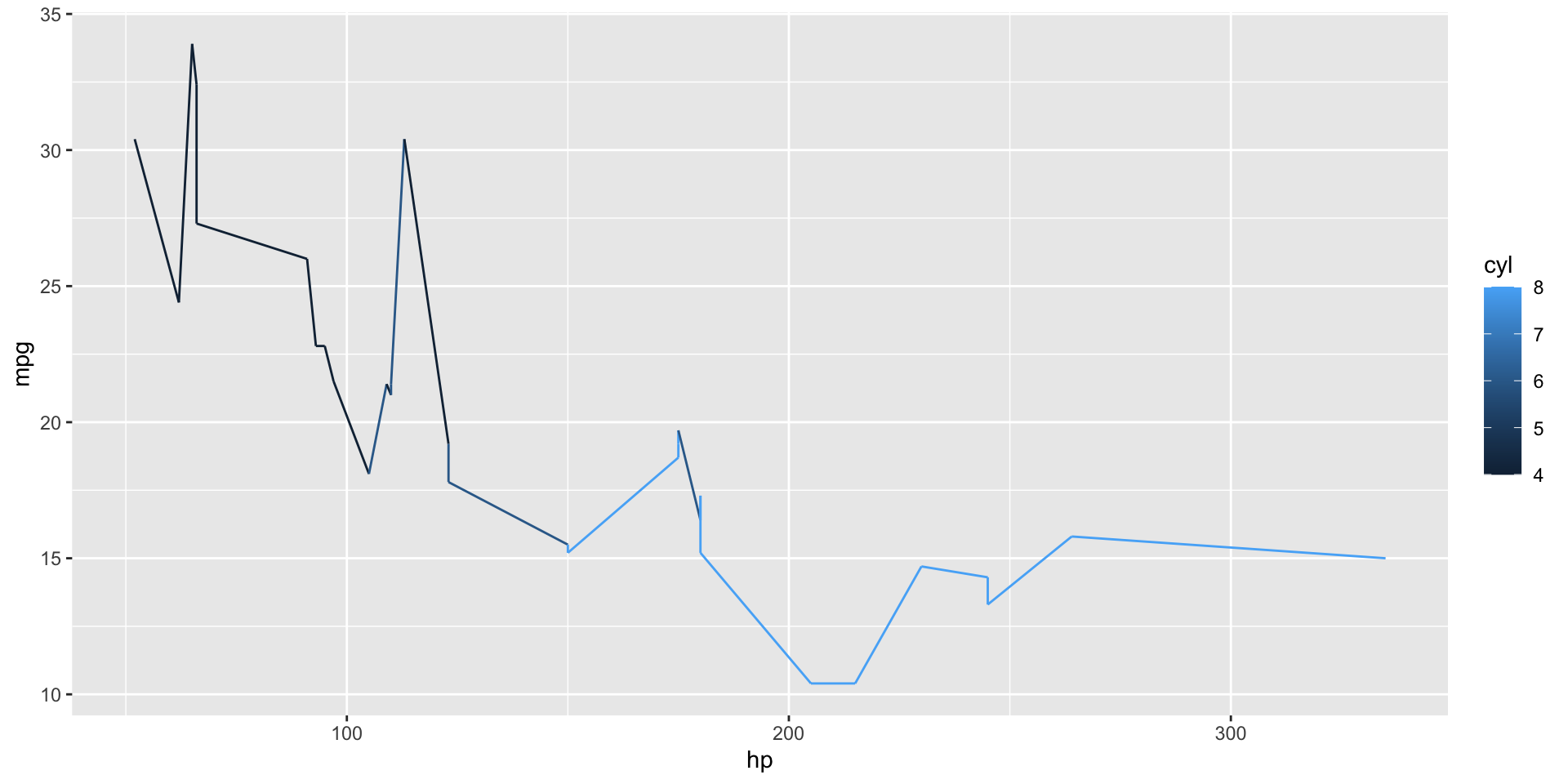
Instead, we could have drawn a line…
ggplot(data = mtcars, mapping = aes(x = hp, y = mpg, color = cyl)) +
geom_line()An Example Plot
ggplot(data = mtcars, mapping = aes(x = hp, y = mpg, color = cyl)) +
geom_line()
But it would have looked pretty silly.
An Example Plot
ggplot(data = mtcars, mapping = aes(x = hp, y = mpg, color = cyl)) +
geom_point()- Layers
. . .
+ geom_point()
. . .
- All ggplots are built in layers, one for each geometry.
. . .
- In this case, we hav only one layer:
geom_point()
. . .
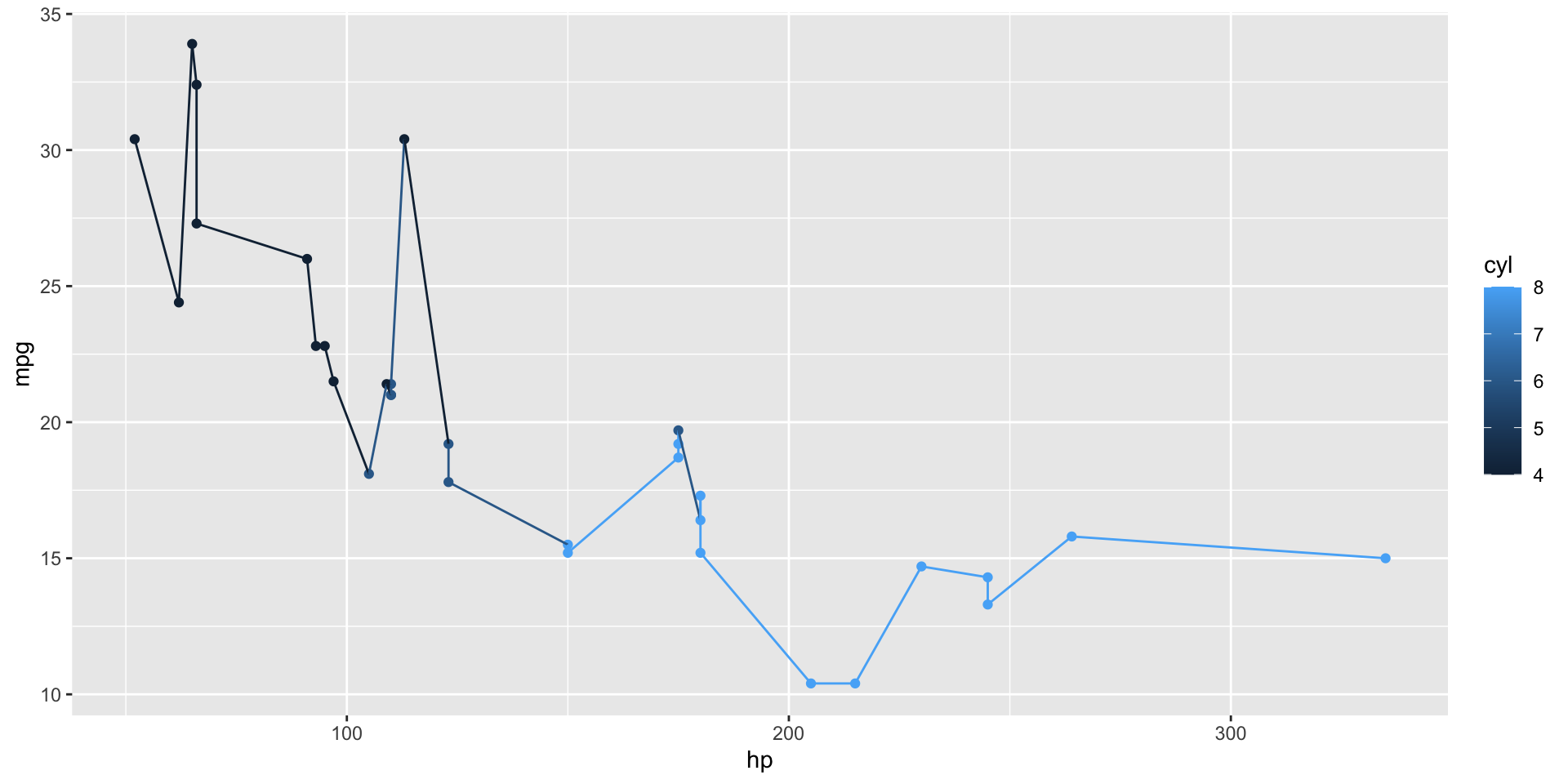
What happens if we add two?
ggplot(data = mtcars, mapping = aes(x = hp, y = mpg, color = cyl)) +
geom_point() +
geom_line()Multiple layers
ggplot(data = mtcars, mapping = aes(x = hp, y = mpg, color = cyl)) +
geom_point() +
geom_line()
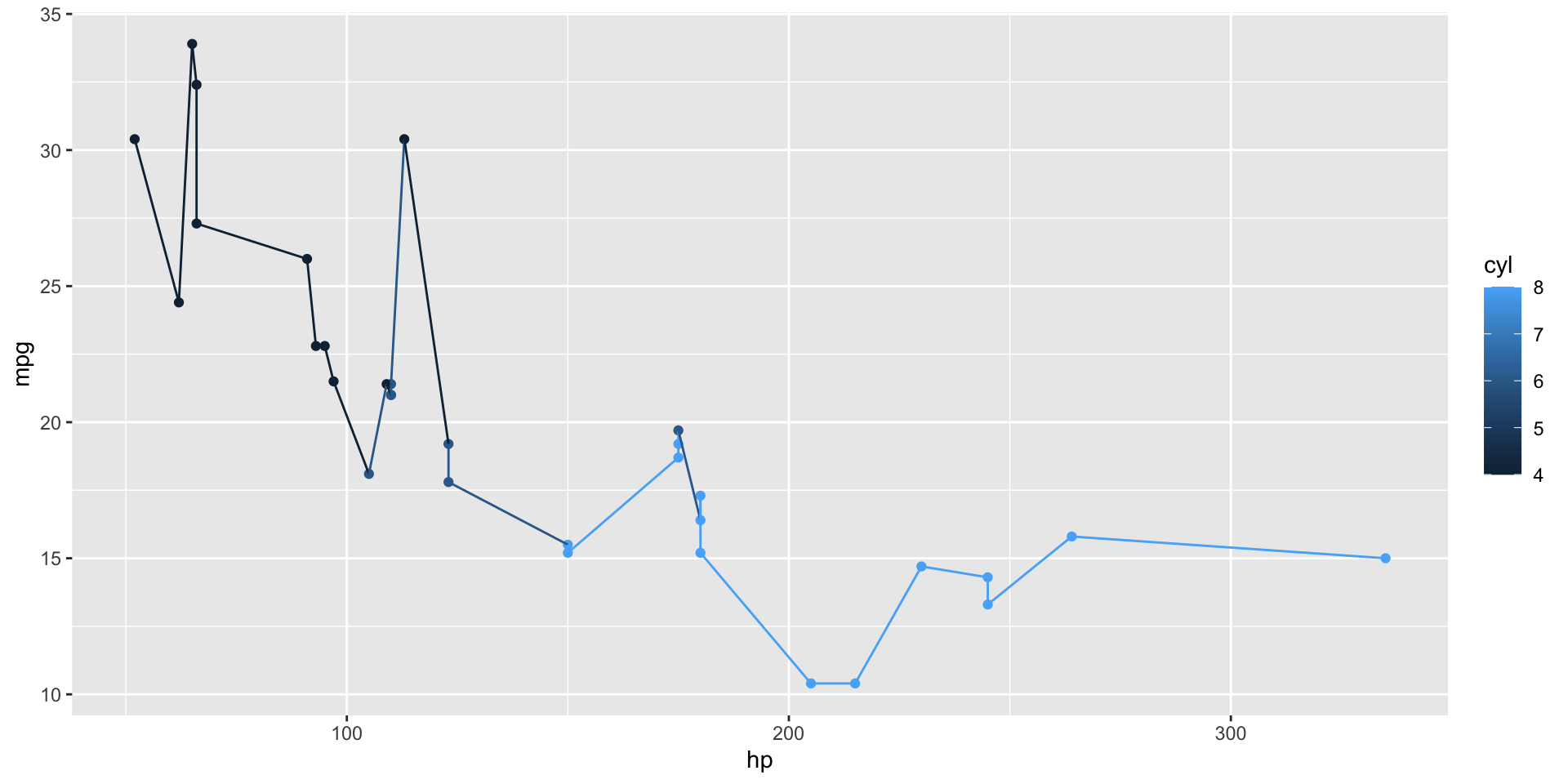
We would get both geometric objects drawn on the chart!
Multiple layers
ggplot(data = mtcars, mapping = aes(x = hp, y = mpg, color = cyl)) +
geom_point() +
geom_line()
Notice that our geom_line is also using the color aesthetic.
. . .
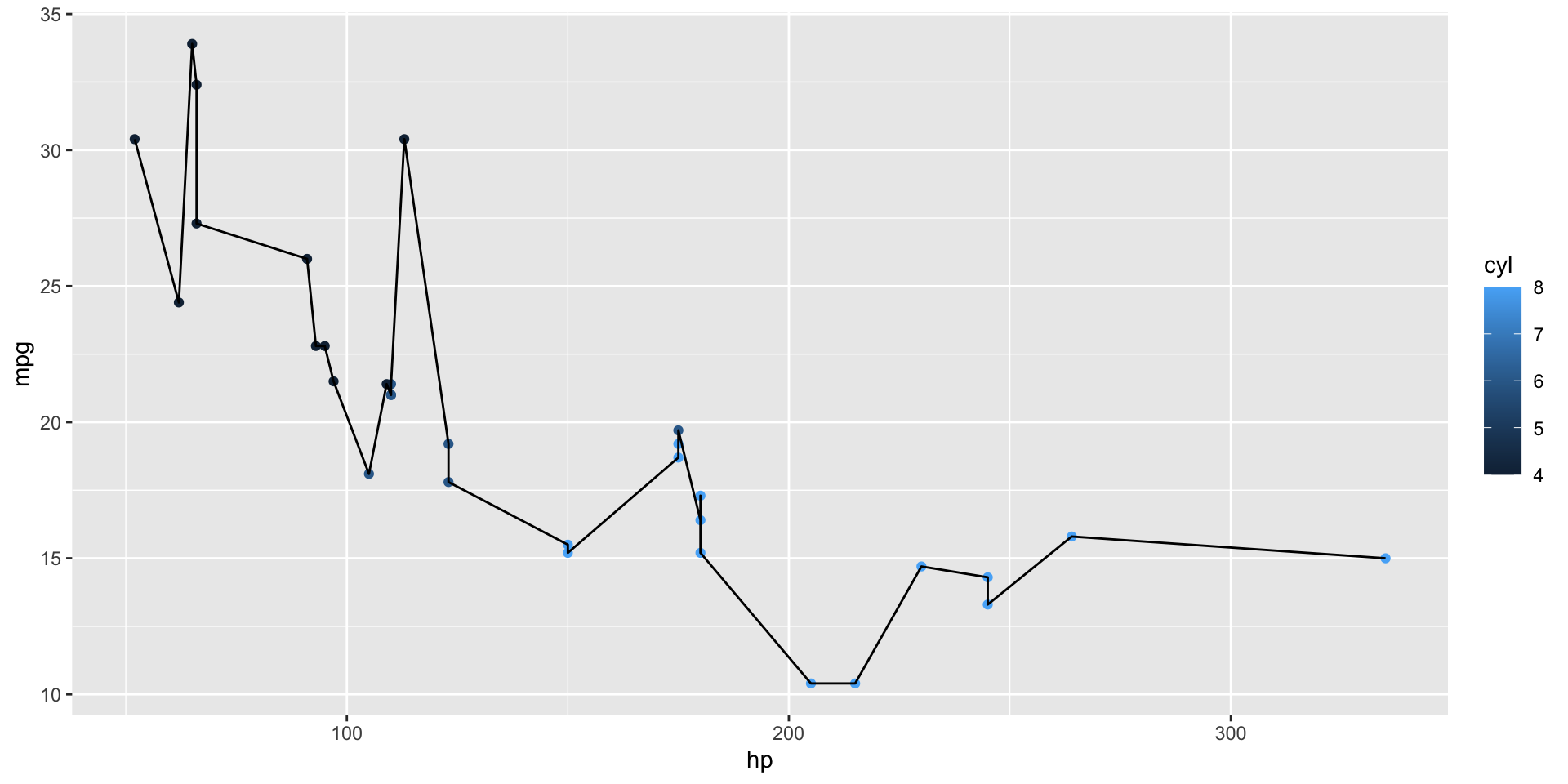
What if we wanted it to be black instead?
Setting aesthetics by layer
ggplot(data = mtcars) +
geom_point(aes(x = hp, y = mpg, color = cyl)) +
geom_line(aes(x = hp, y = mpg))
Instead of having one plot-wide aesthetic, we can set aesthetics for each layer.
Adding additional aesthetics by layer
ggplot(data = mtcars, aes(x = hp, y = mpg)) +
geom_point(aes(color = cyl)) +
geom_line()
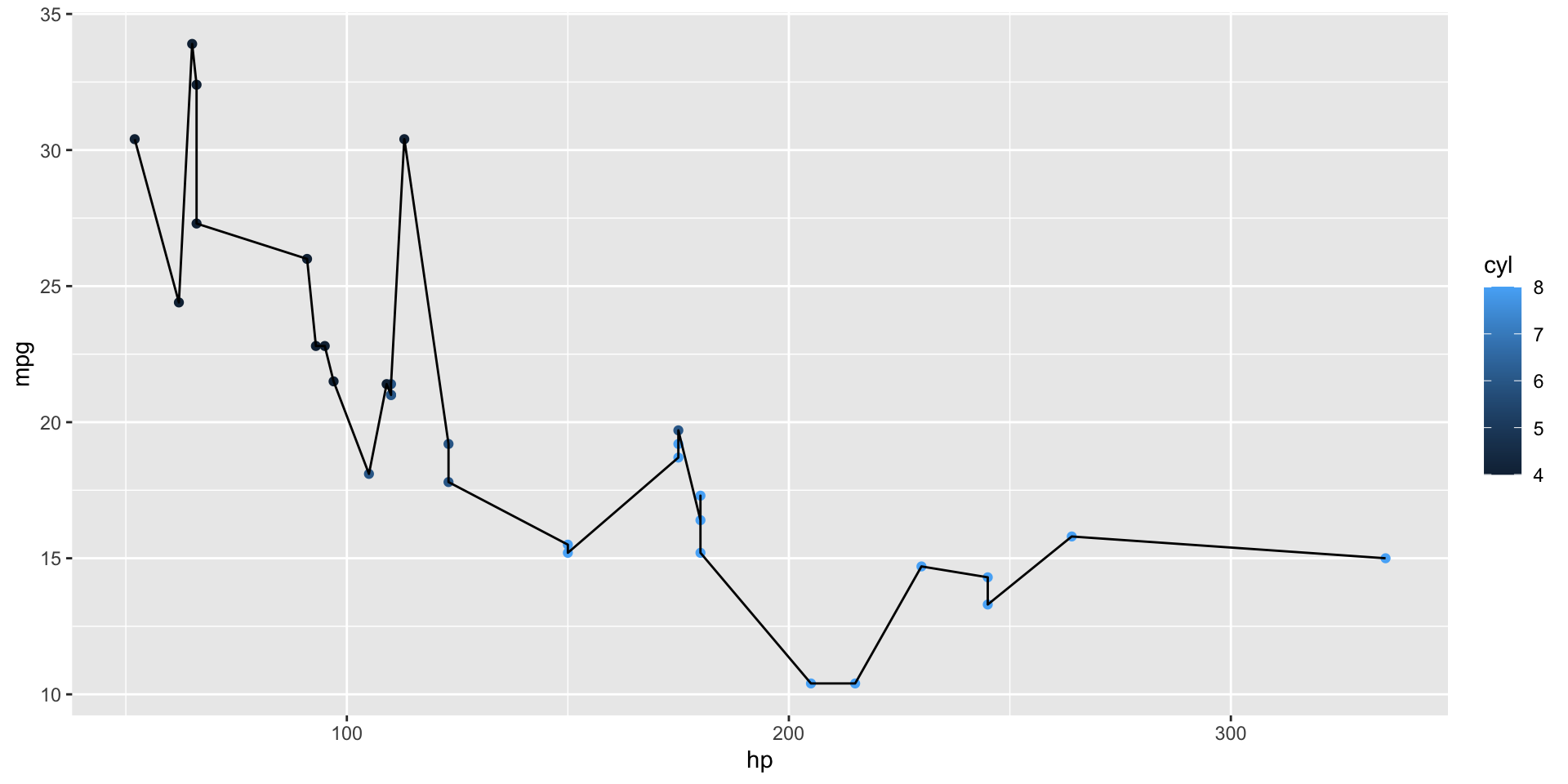
Or we could set the common aesthetics in ggplot() call, and just add color for geom_point().
Overriding by layer
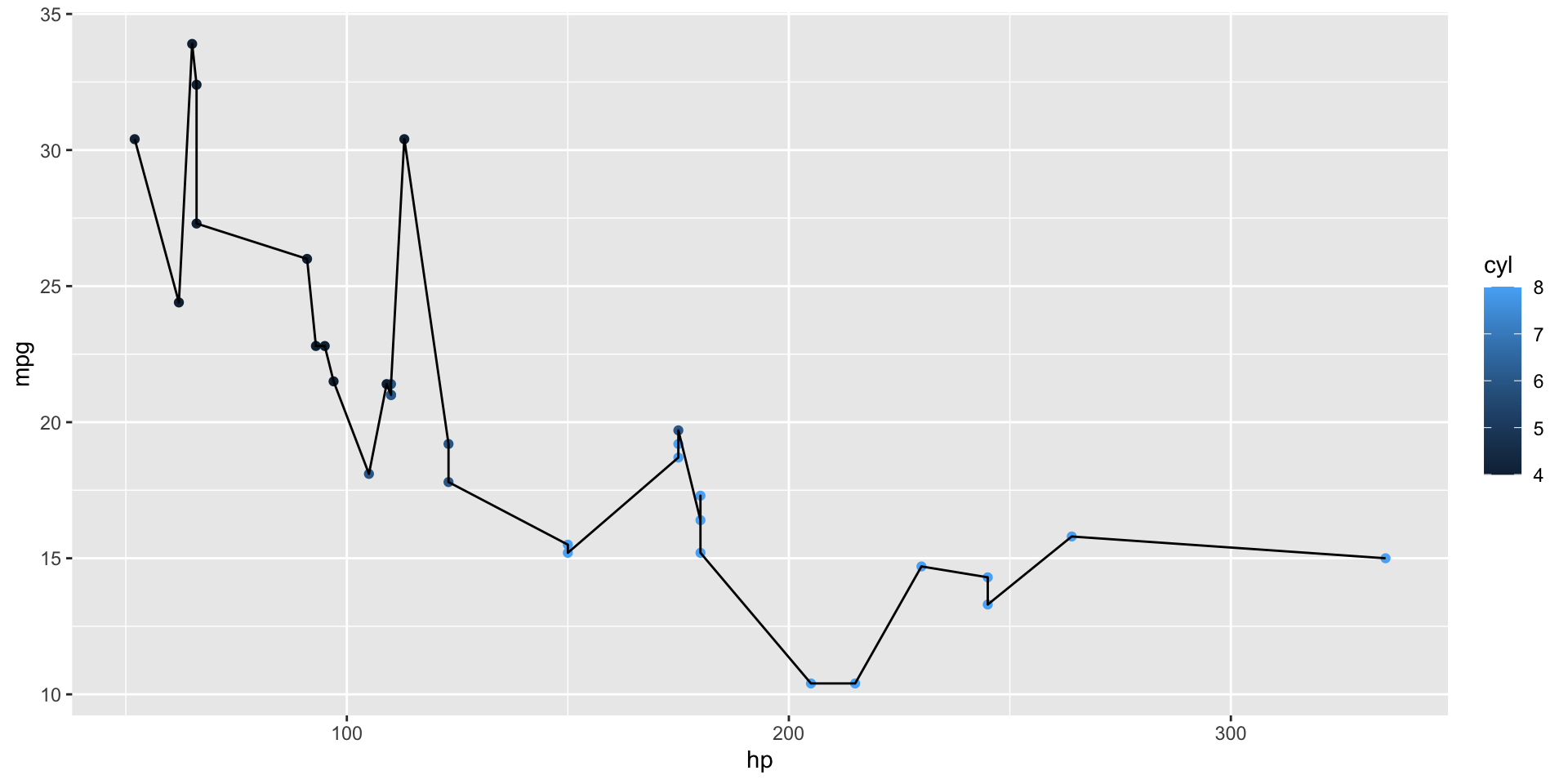
ggplot(data = mtcars, aes(x = hp, y = mpg, color = cyl)) +
geom_point() +
geom_line(color = "black")
Or we can override plot-wide aesthetics for individual layers.
. . .
Notice that we don’t use aes(color = "black").
Geoms
Possible geom_s and the aesthetics they require:
. . .
geom_point(),geom_line()x, y
. . .
geom_histogram(),geom_denstity()x
. . .
geom_col()x, y,
. . .
geom_ribbon()x, ymin, ymax
. . .
geom_text(),geom_label()x, y, label
. . .
And many more. See the ggplot2 reference page for more.
Changing Plot Defaults
We have seen how to build a ggplot with data, aesthetics, geoms, and layers.
Now, we will look at how to adjust other parts of the plate:
. . .
- scales
. . .
- labels (title, axis labels, etc.)
. . .
- themes
Scales
Every ggplot aesthetic has a scale.
. . .
p <- mtcars |>
ggplot(aes(x = hp, y = mpg, color = cyl)) +
geom_point()This plot has three scales:
. . .
x-axis
y-axis
color
. . .
X and Y scales
The most used scales are for the x- and y-axes.
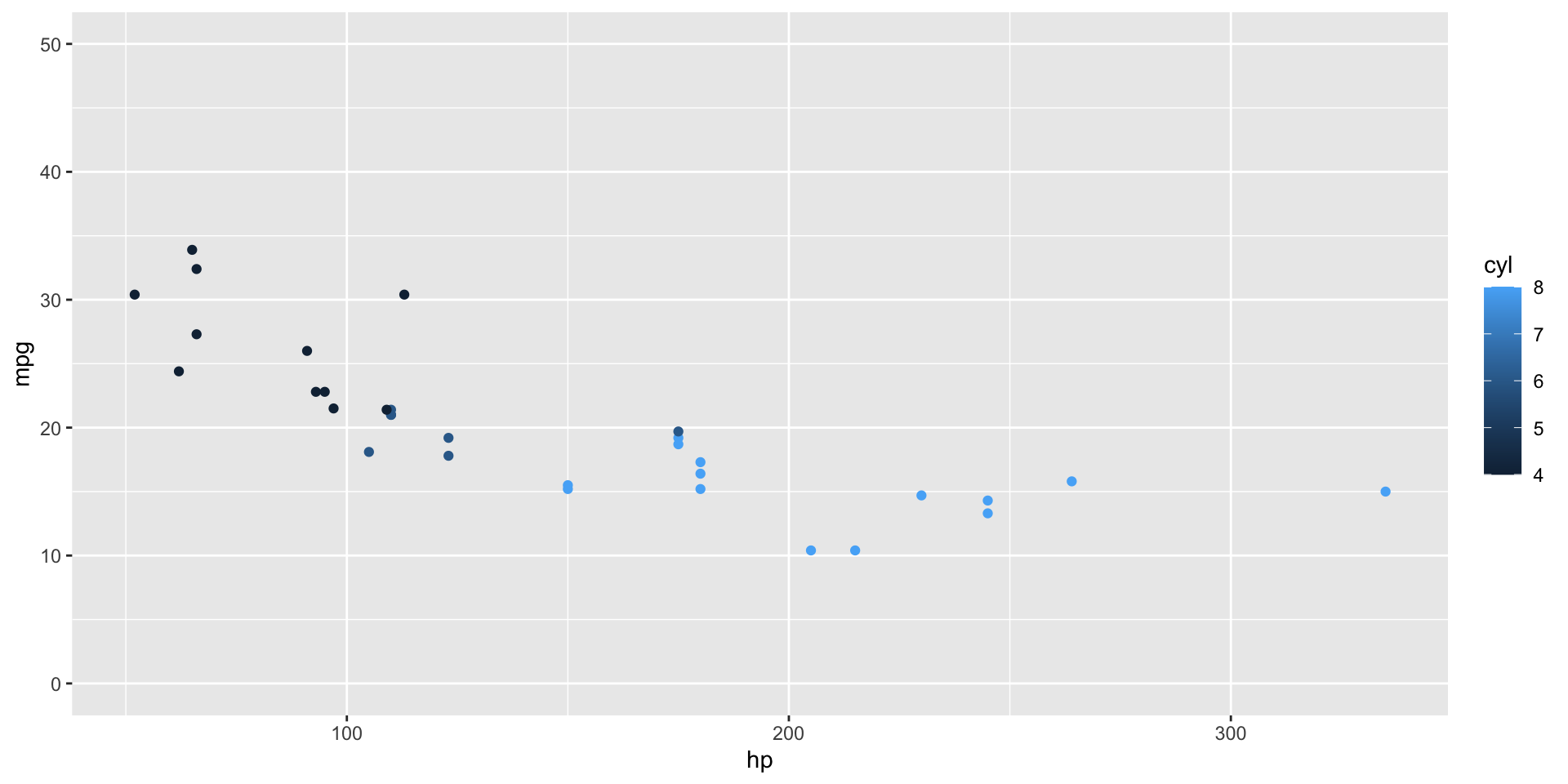
. . .
p + scale_y_continuous(limits = c(0, 50))
X and Y scales
Here we are using _continuous() scales because X and Y are both numeric.
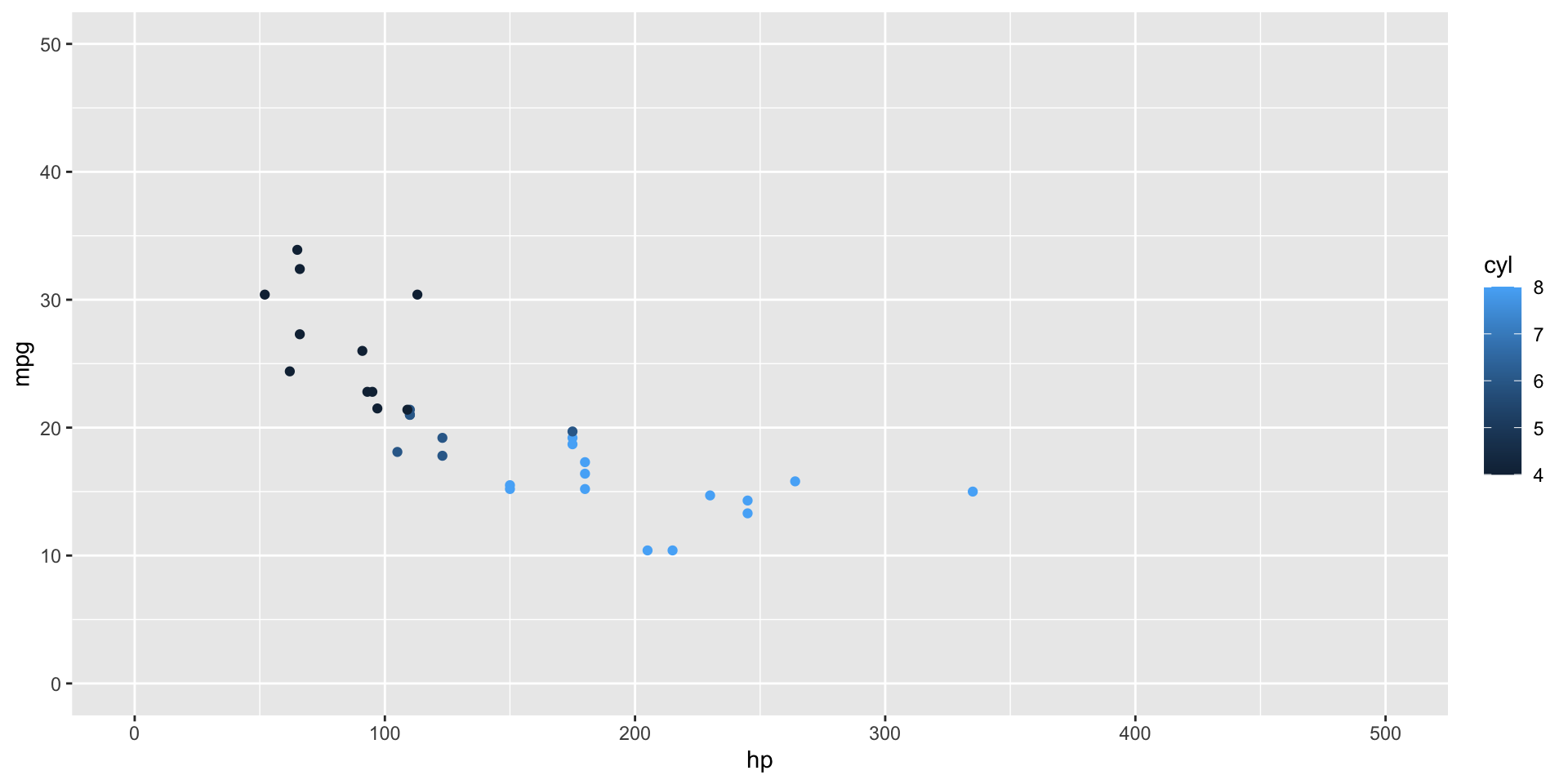
p + scale_y_continuous(limits = c(0, 50)) +
scale_x_continuous(limits = c(0, 500))
. . .
For discrete data, you would use scale_x_discrete() or scale_y_discrete().
scale_*_contionus() options
limits = c(0, 50)
- Set start and end values, can be smaller than your data
. . .
expand = c(0, 0)
- Set the buffer space at the start and end of the scale, default is
c(0.05, 0.05)
scale_*_contionus() options
breaks = c(0, 10, 20, 30, 40, 50)
- set the locations of breaks (tick marks on the axes)
. . .
labels = c(0, 10, 20, 30, 40, 50)
- set labels for each break (must match break length)
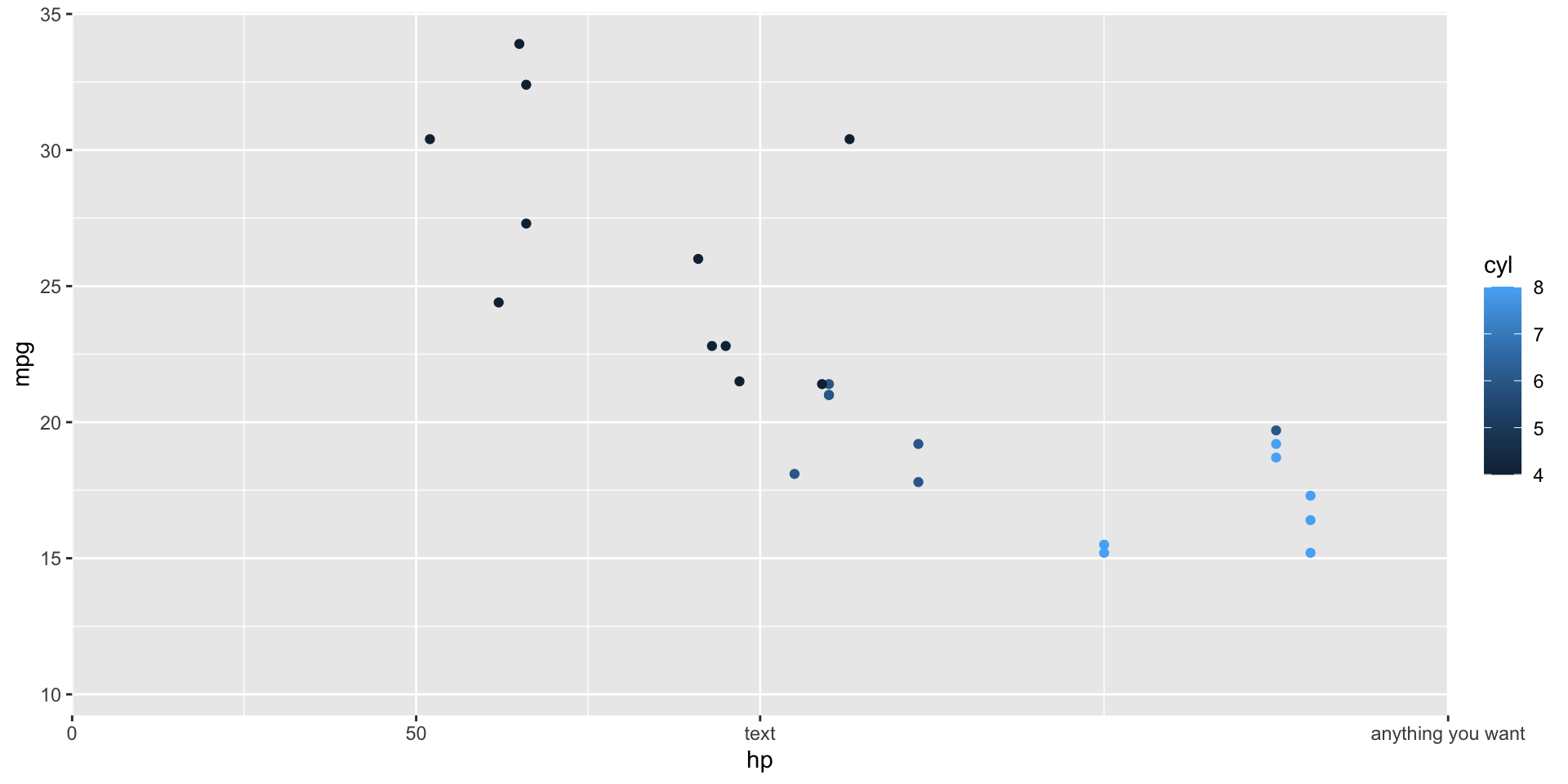
Scale options in action
p + scale_x_continuous(
limits = c(0, 200),
expand = c(0, 0),
breaks = c(0, 50, 100, 200),
labels = c("0", "50", "text", "anything you want")
)Warning: Removed 7 rows containing missing values or values outside the scale range
(`geom_point()`).

Color scales
The default continuous color scale is
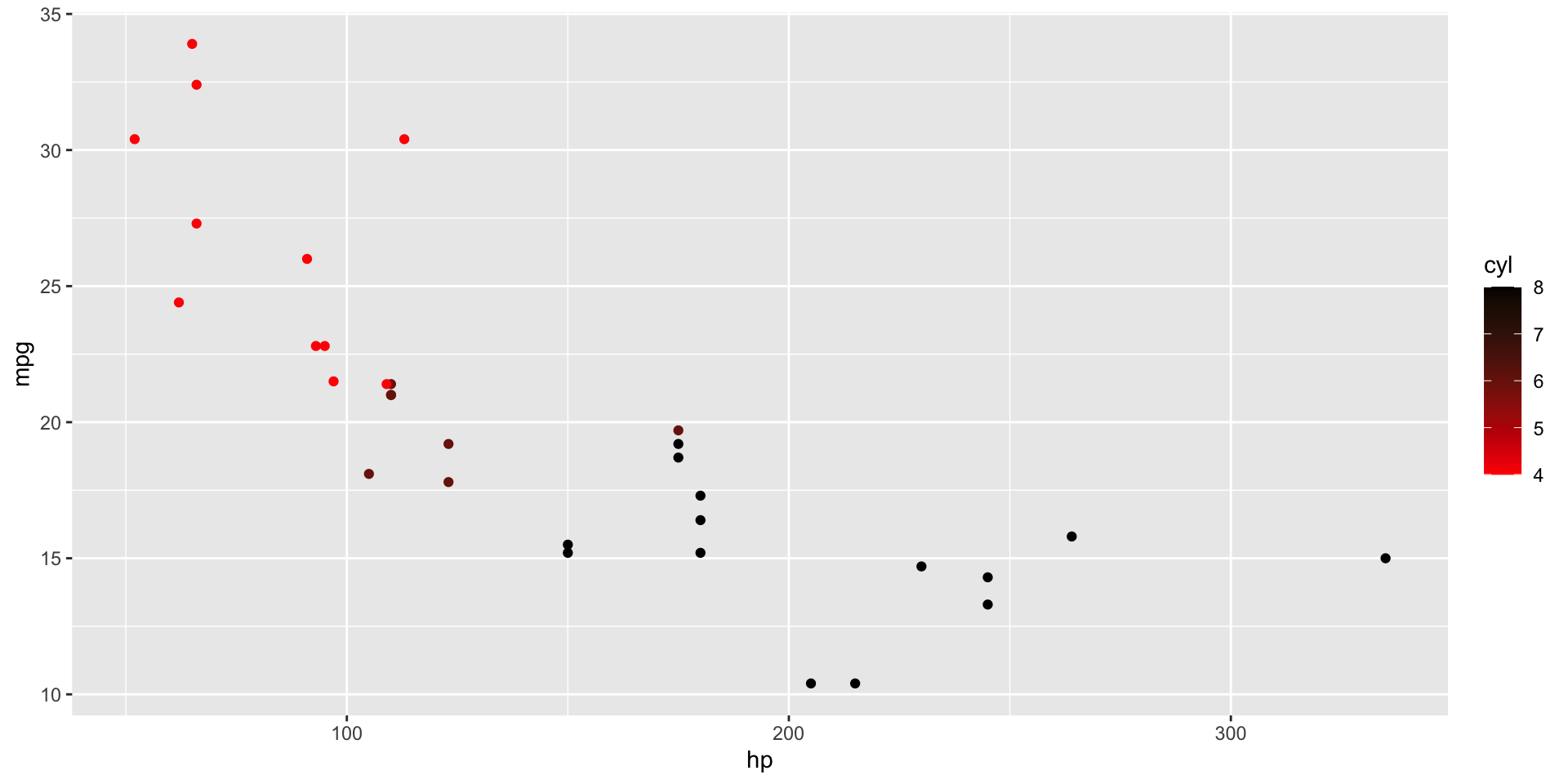
p + scale_color_gradient(low = "red", high = "black")
. . .
. . .
But is a continuous scale the right one for this data?
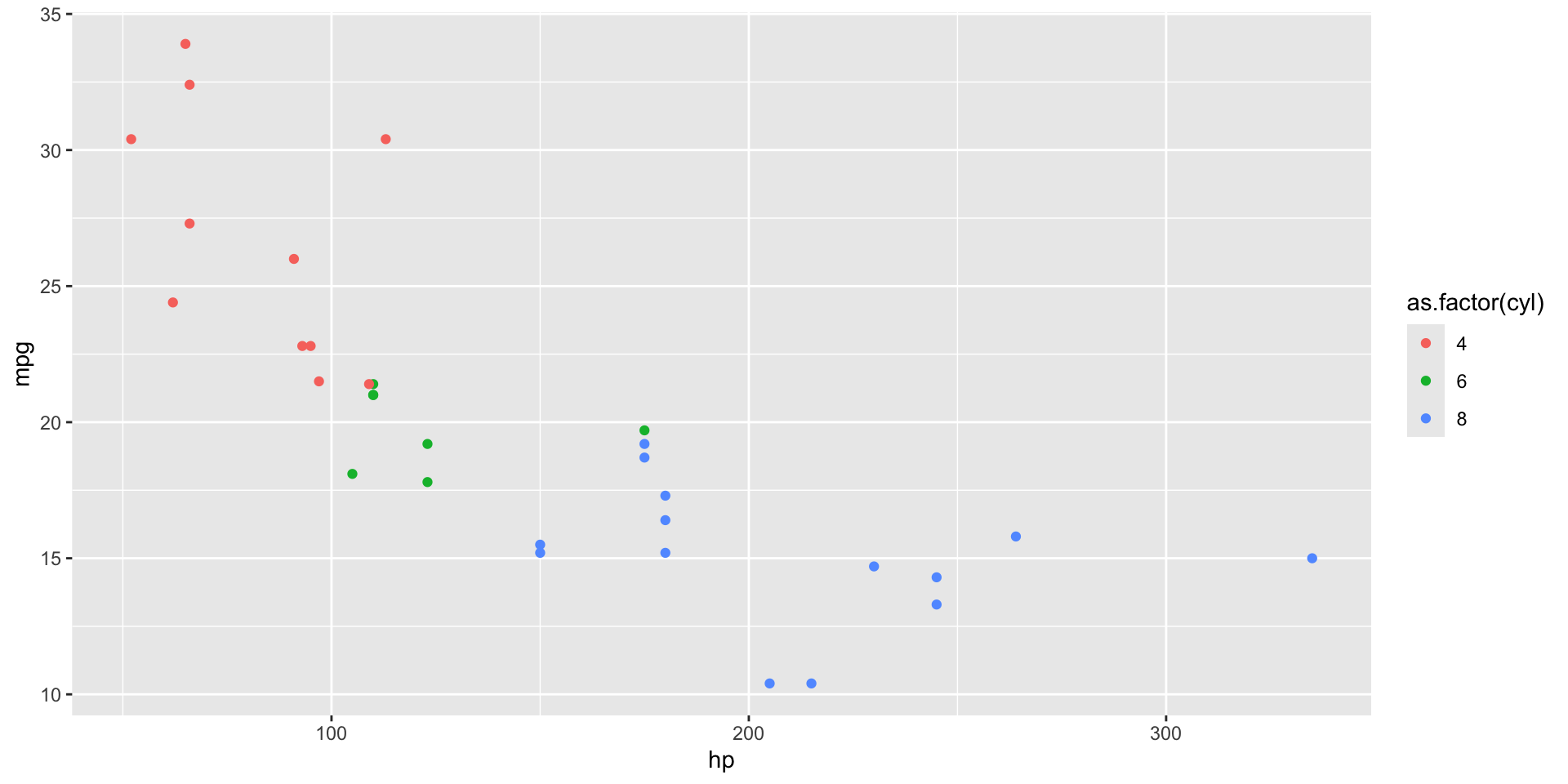
Discrete colorscales
p_discrete <- mtcars |>
ggplot(aes(x = hp, y = mpg, color = as.factor(cyl))) +
geom_point()
p_discrete
. . .
For changing discrete colors, use scale_color_manual().
Discrete colorscales
Use the “values=” argument to provide your own colors.
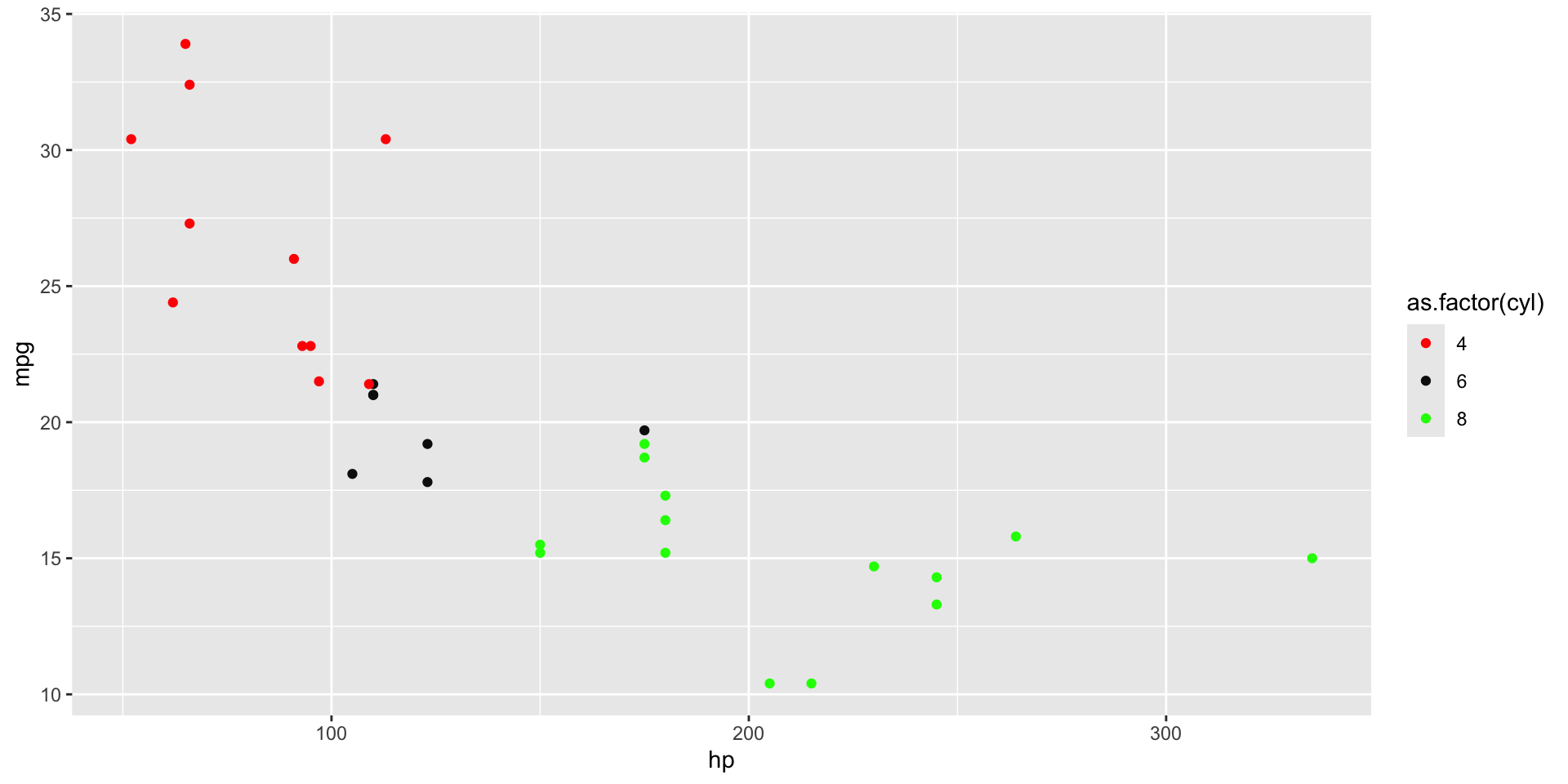
p_discrete +
scale_color_manual(values = c("red", "#0F0F0F", rgb(0, 1, 0)))
Discrete colorscales
Use a named vector to match them to specific color values.
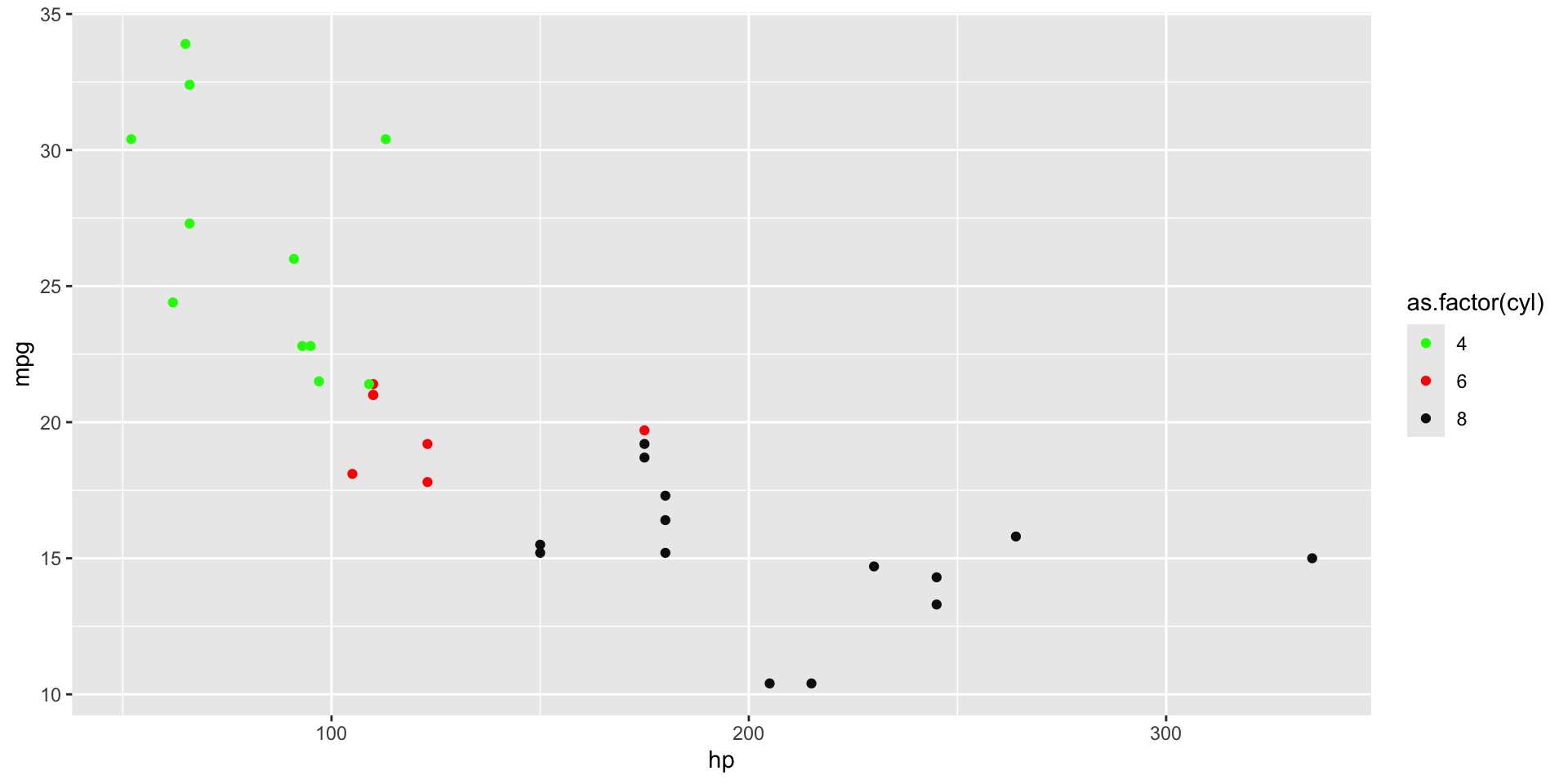
p_discrete +
scale_color_manual(values = c(
`6` = "red", `8` = "#0F0F0F", `4` = rgb(0, 1, 0)
))
Scales overview
There is a scale in your plot for each aesthetic.
. . .
The defaults can always be adjusted, with the right scale function.
. . .
Important to remember if your data is contionuous or discrete.
. . .
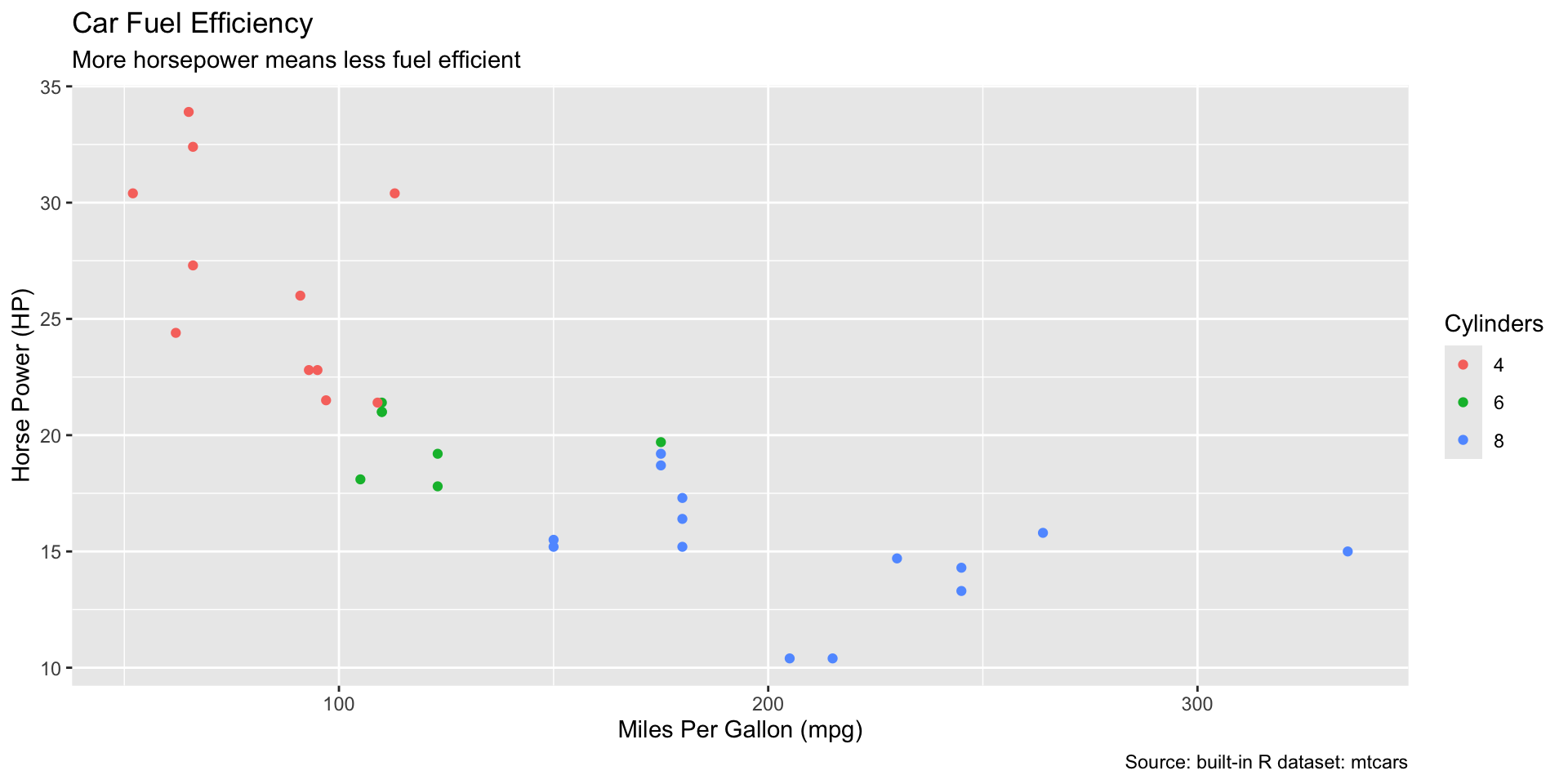
Plot Labels
These labels default to your variable names:
- x- and y-axis labels
. . .
- color (or other aesthetic) labels
. . .
And these labels are optional:
. . .
plot title
plot subtitle
plot caption
Changing Plot Labels
p_labeled <- p_discrete + labs(
title = "Car Fuel Efficiency",
subtitle = "More horsepower means less fuel effecient",
caption = "Source: built-in R dataset: mtcars",
x = "Miles Per Gallon (mpg)",
y = "Horse Power (HP)",
color = "Cylinders"
)
p_labeled
ggplot themes
Want to quickly change how your plot looks? Change the theme!
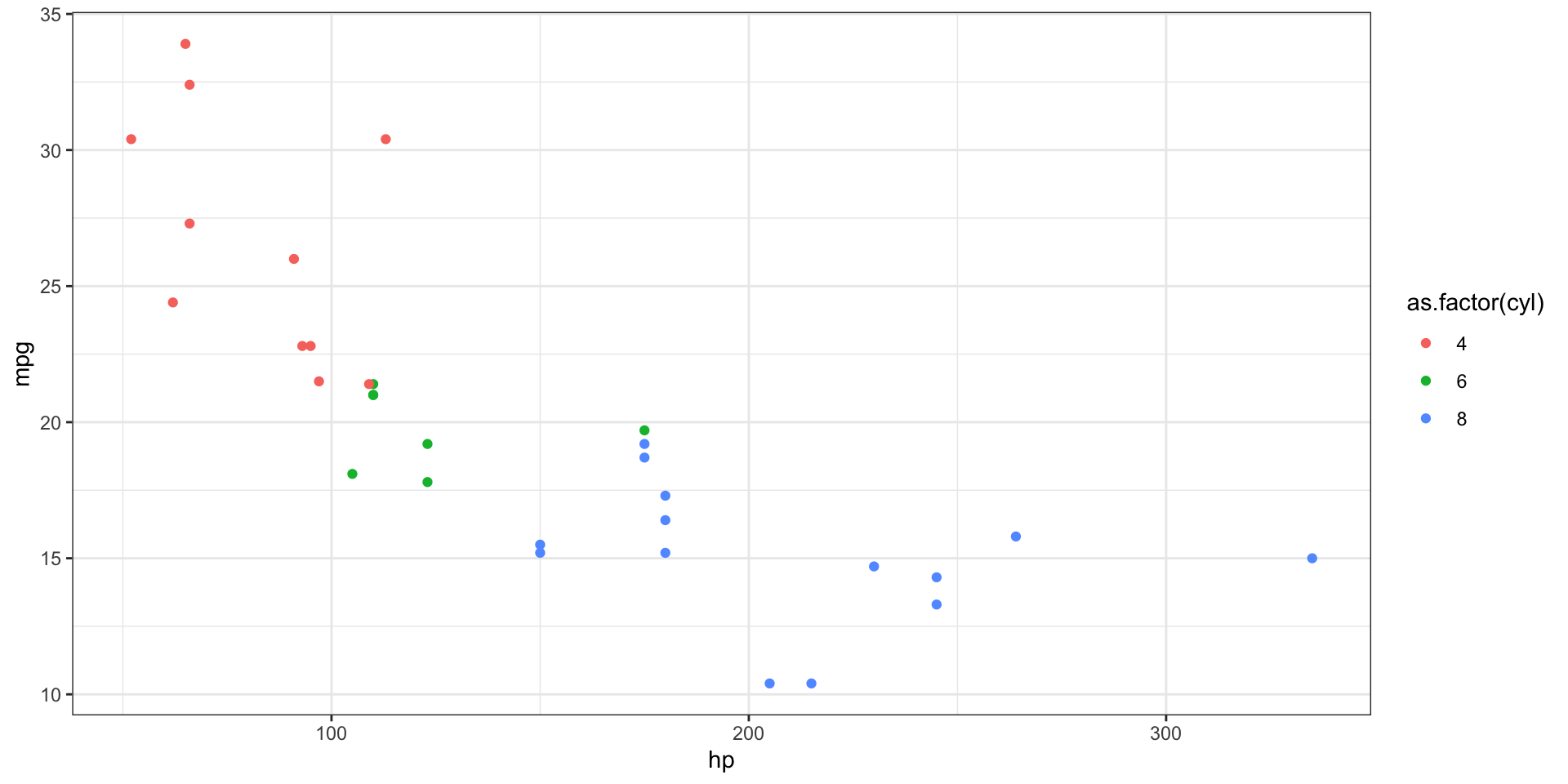
. . .
p_discrete + theme_bw()
ggplot built in themes
theme_gray()the default with gray plot backgroundtheme_bw()black and white (my preference)theme_minimal()no axes linestheme_classic()no grid linestheme_dark()dark background
Editing a theme
All elements of a theme can be edited using + theme().
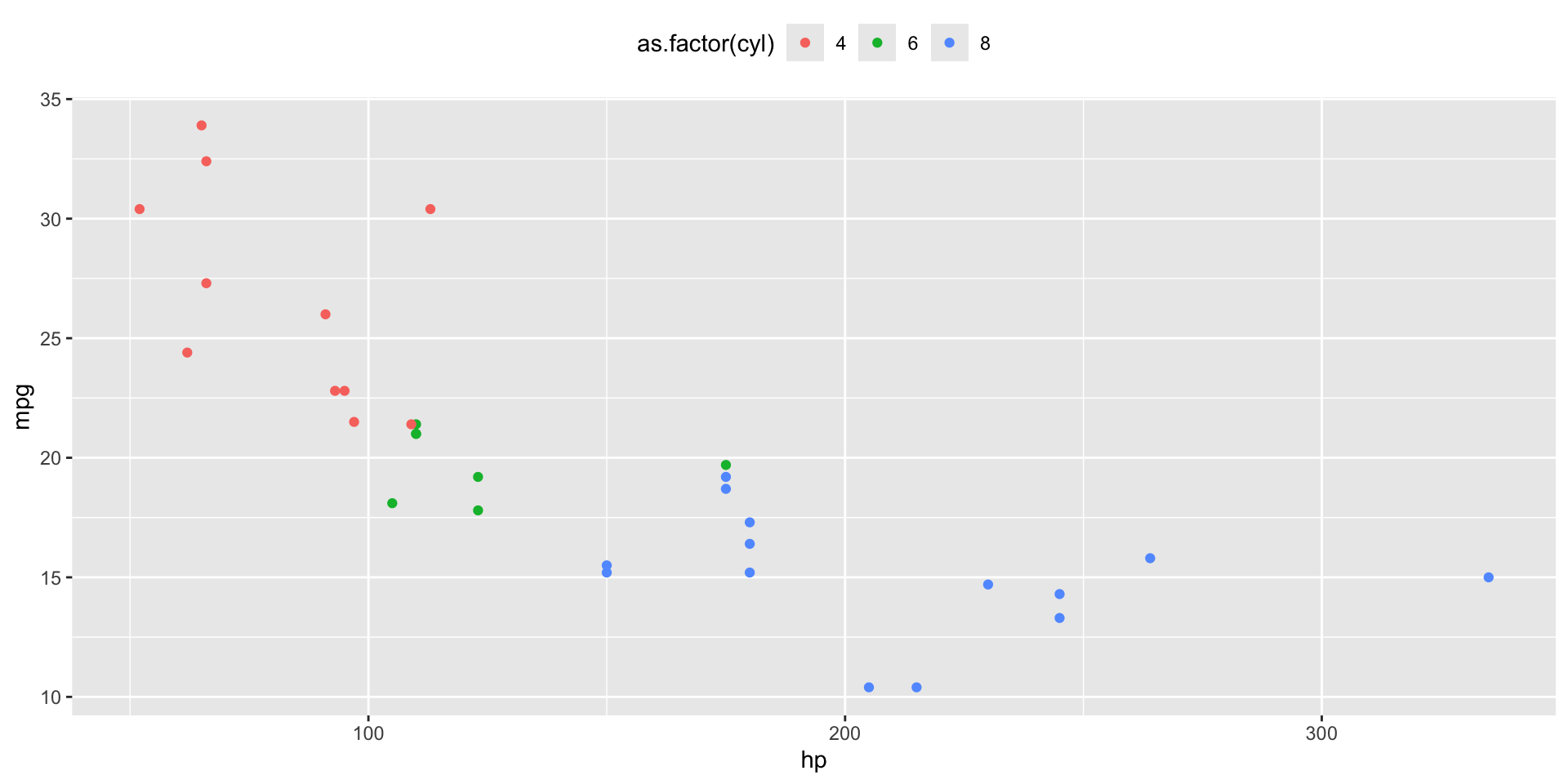
p_discrete + theme(legend.position = "top")
. . .
Other Themes
Many other packages and organizations share their own ggplot themes.
. . .
Try installing this collection of themes:
renv::install("ggthemes"). . .
Then loading them in the session.
library(ggthemes). . .
And then we can make our plot look like it’s from…
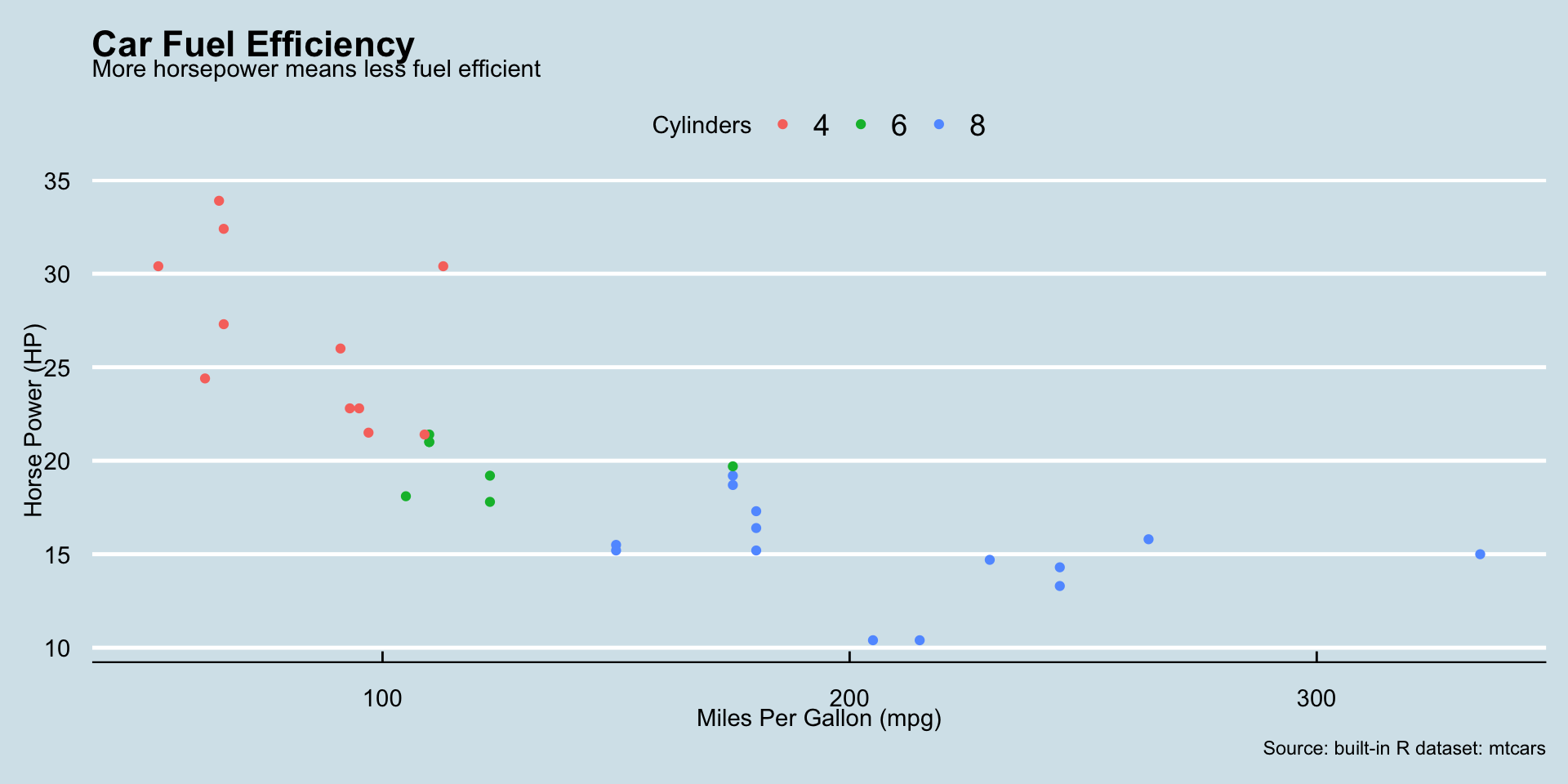
Economist Theme
The Economist!
p_labeled + theme_economist()
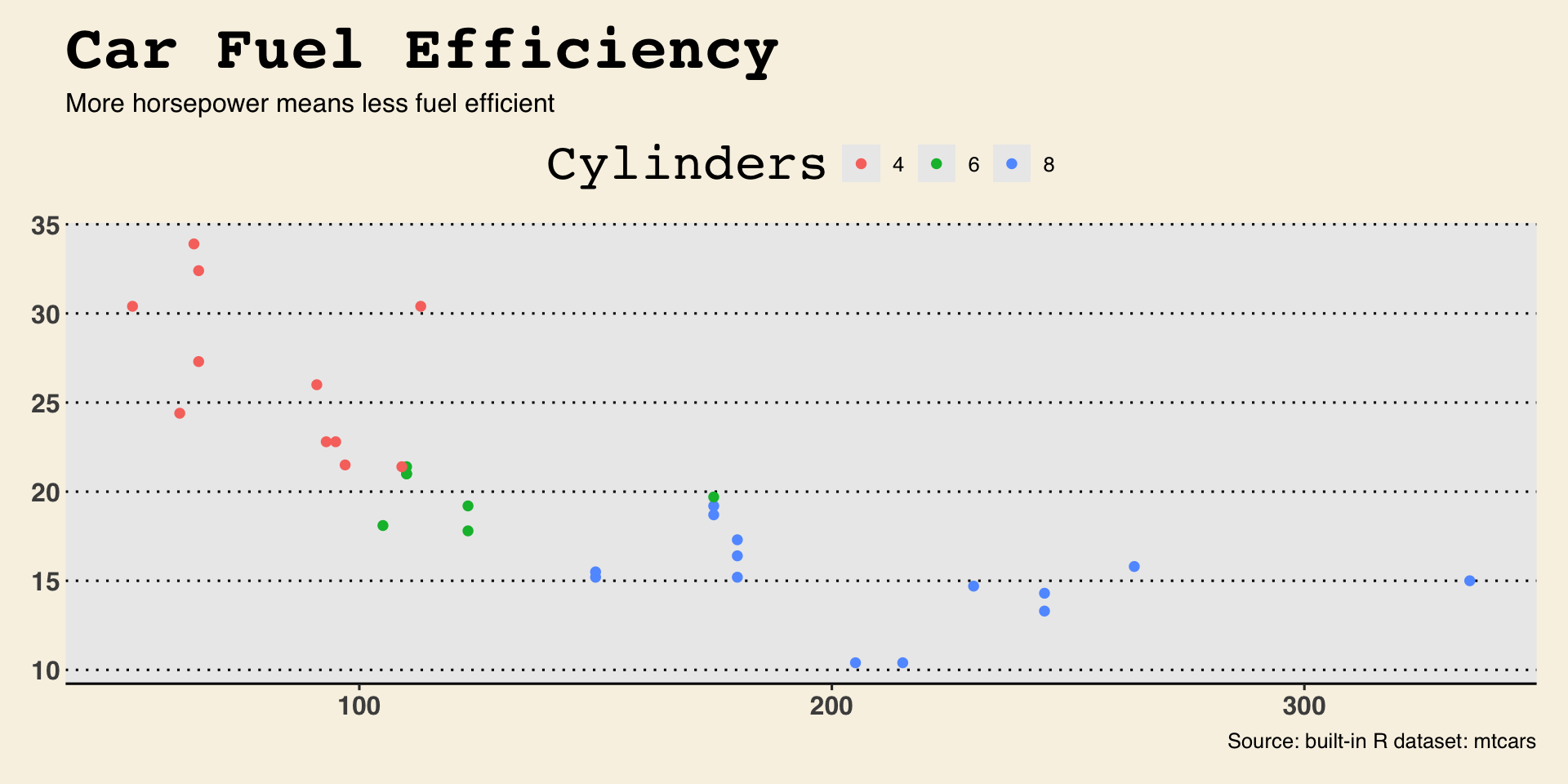
WSJ Theme
The Wall Street Journal!
p_labeled + theme_wsj()
STATA Theme
… or Stata??
p_labeled + theme_stata()
Theme Takeaways
Notice that a large part of what changed in each of those themes were the fonts.
. . .
With themes you can change just about any non-data part of your plot.
. . .
But that means all the options can be hard to figure out.
. . .
Using pre-built themes is a good way to get what you want without digging into the details.
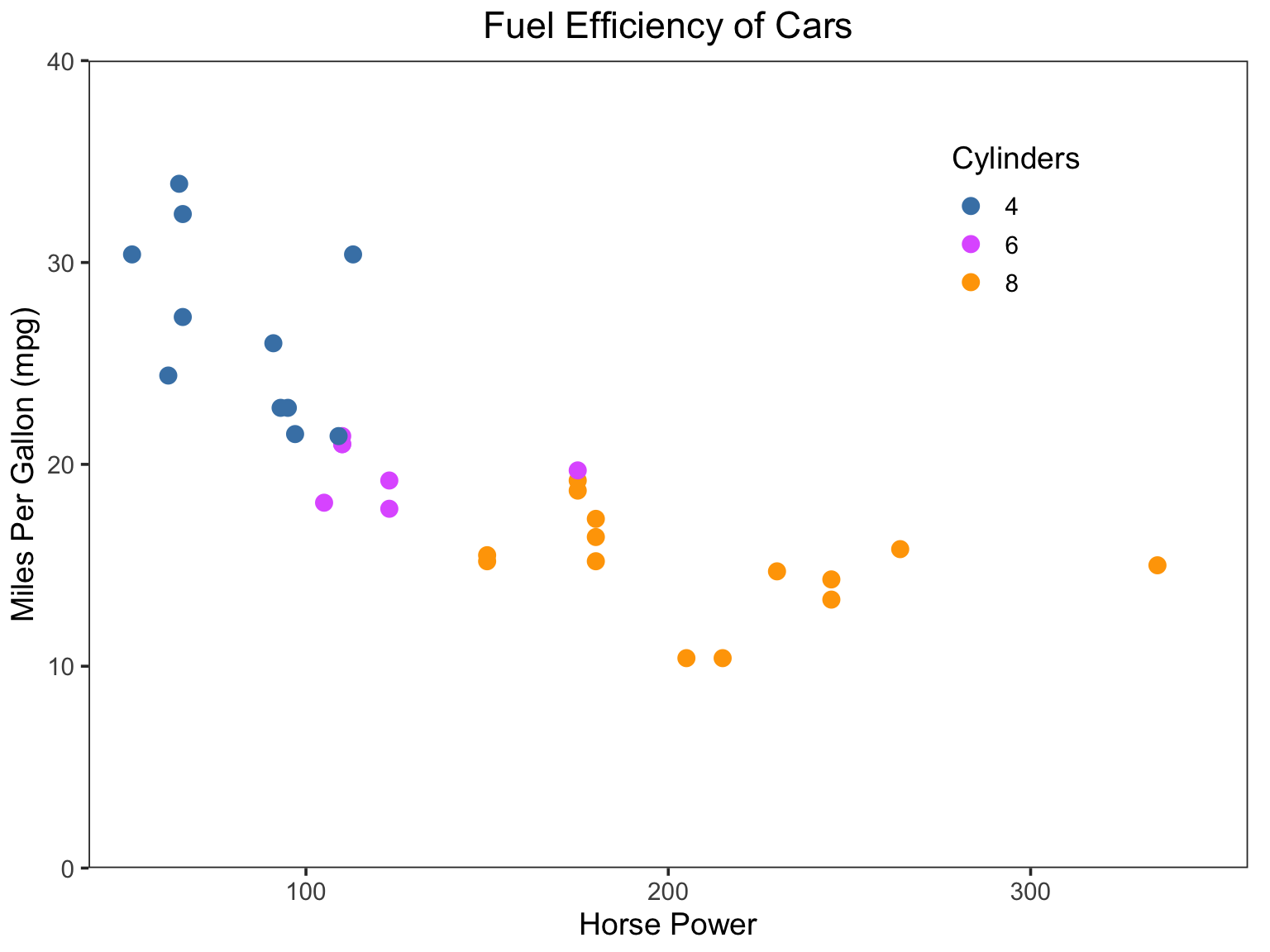
My own theming preferences
No background color
No grid lines
- Except for 0, which should always have a line
Start and end ticks, if possible
A box around the plot (i.e. top and right axis lines)
Legends within the plot, if possible
- Better yet, label the lines directly
Make colors colorblind friendly
- Also print well in black and white
My version of our example plot

Facets
Facets
Facets allow for easily plotting multiple cuts of the data.
. . .
You can think of it as adding another “z” dimension to your plot.
. . .
For example, for our Fuel Efficiency plot, instead of using color to show “cylinders” we could have used facets.
Facetted example plot
facet_wrap() constructs plot panels from one variable.
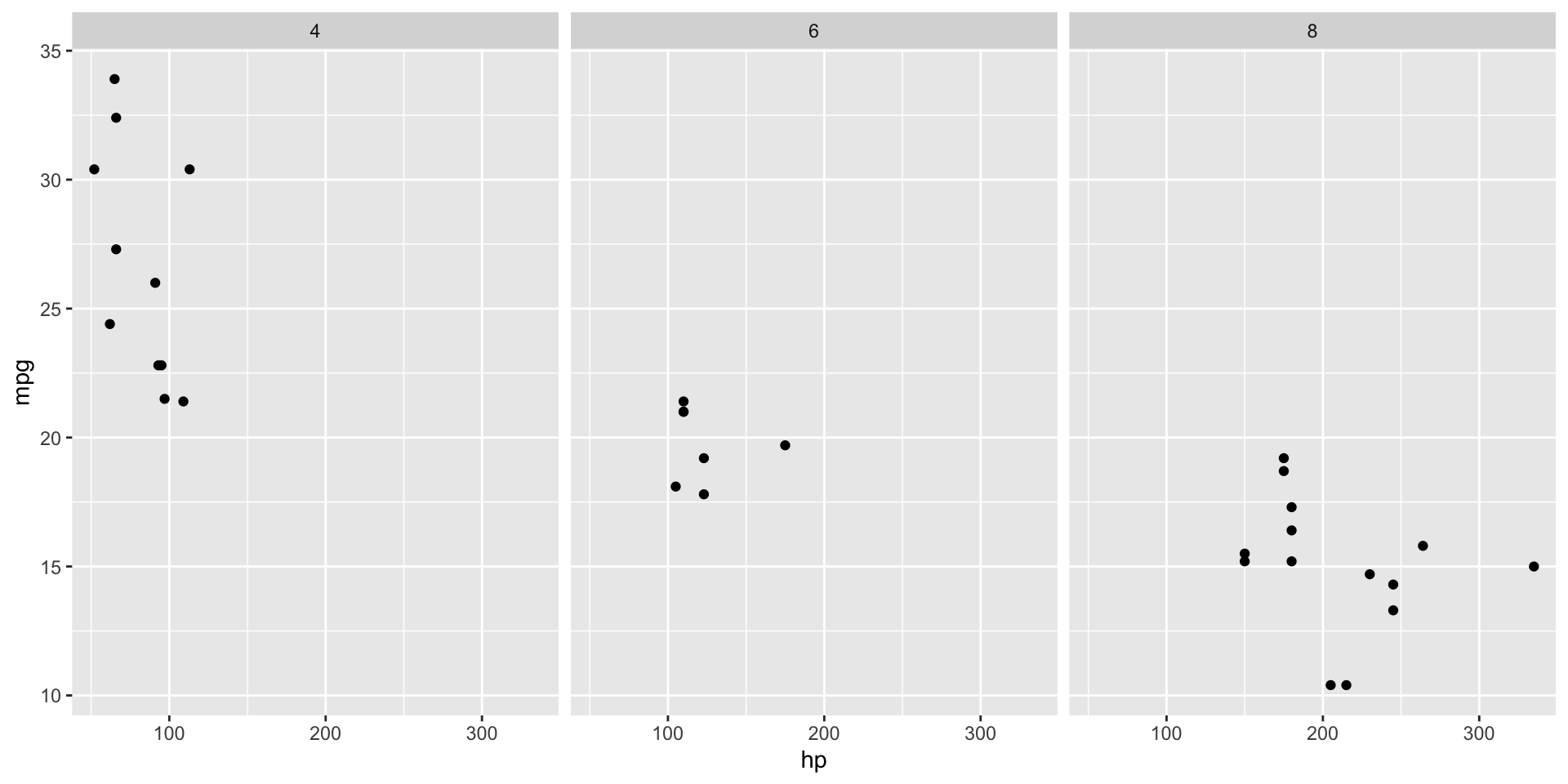
mtcars |>
ggplot(aes(x = hp, y = mpg)) +
geom_point() +
facet_wrap(vars(cyl))
Facetted example plot
Use scales="free" to let the scales vary by panel
mtcars |>
ggplot(aes(x = hp, y = mpg)) +
geom_point() +
facet_wrap(vars(cyl), scales = "free")
2-D facets
You can create a grid of facets using facet_grid and two variables
mtcars |>
ggplot(aes(x = hp, y = mpg)) +
geom_point() +
facet_grid(rows = vars(cyl), cols = vars(gear))
Facets Takeaways
Facets are very useful for looking at lots of data.
. . .
But you loose some of the control over each individual panel.
. . .
- For example, you cannot set each panel scale in a
facet_grid
Combining Plots
Combining Plots
Sometimes you want to create a single image from two or more charts.
. . .
There are multiple packages that allow you to do this.
. . .
We will use patchwork.
. . .
renv::install("patchwork")library(patchwork)Creating multiple plots
p1 <- mtcars |>
ggplot(aes(x = hp, y = mpg)) + geom_point()
p2 <- mtcars |>
ggplot(aes(x = hp)) + geom_density()
p3 <- mtcars |>
ggplot(aes(x = gear, y = mpg)) + geom_col()
p4 <- mtcars |>
ggplot(aes(x = gear, y = hp, group = gear )) + geom_boxplot()Combining plots
We can combine two plots side by side with |.
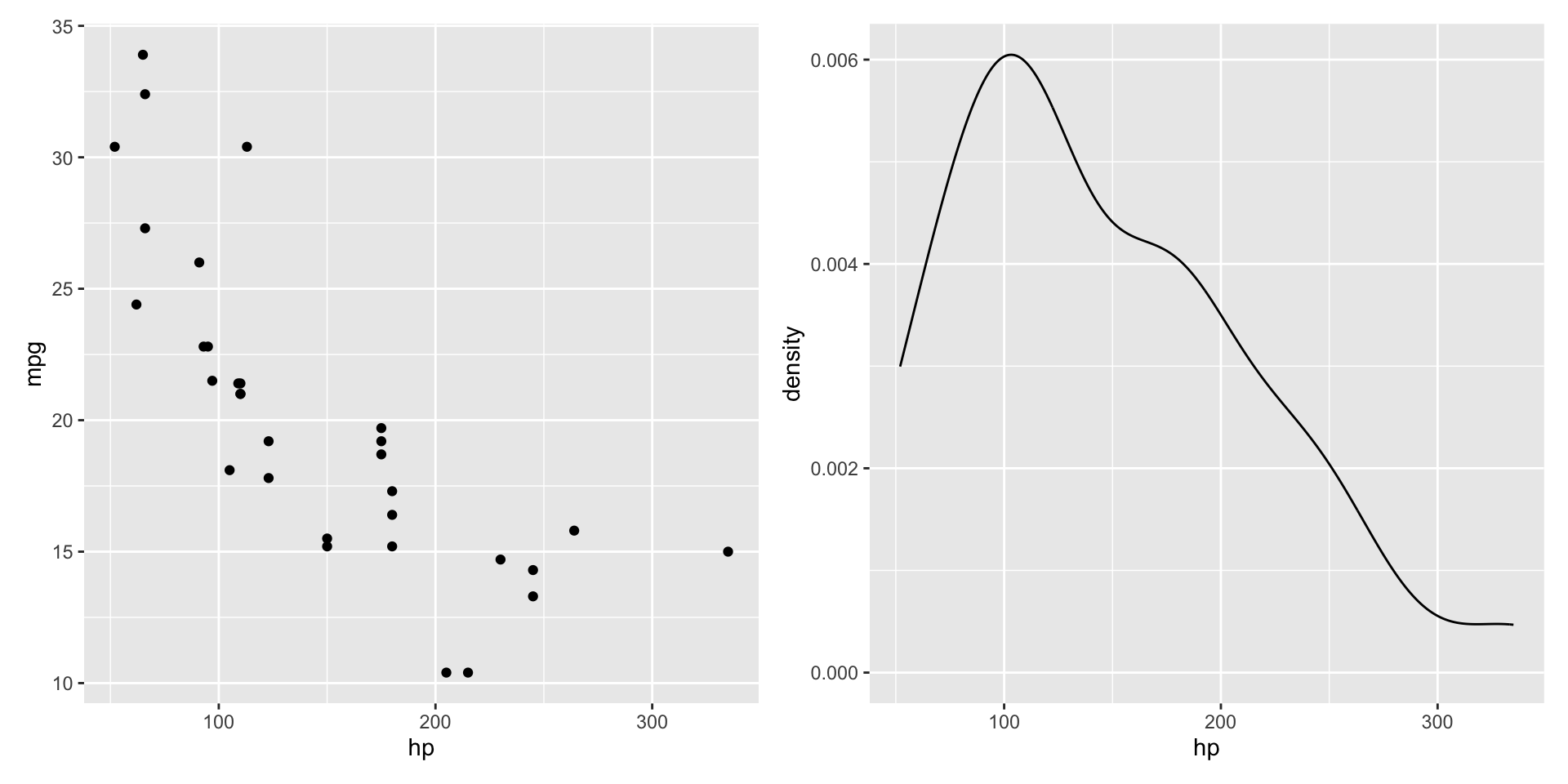
p1 | p2
Combining plots
We can combine two plots in a column with /.
p1 / p2
Combining plots
And we can mix and match to get complicated layouts.
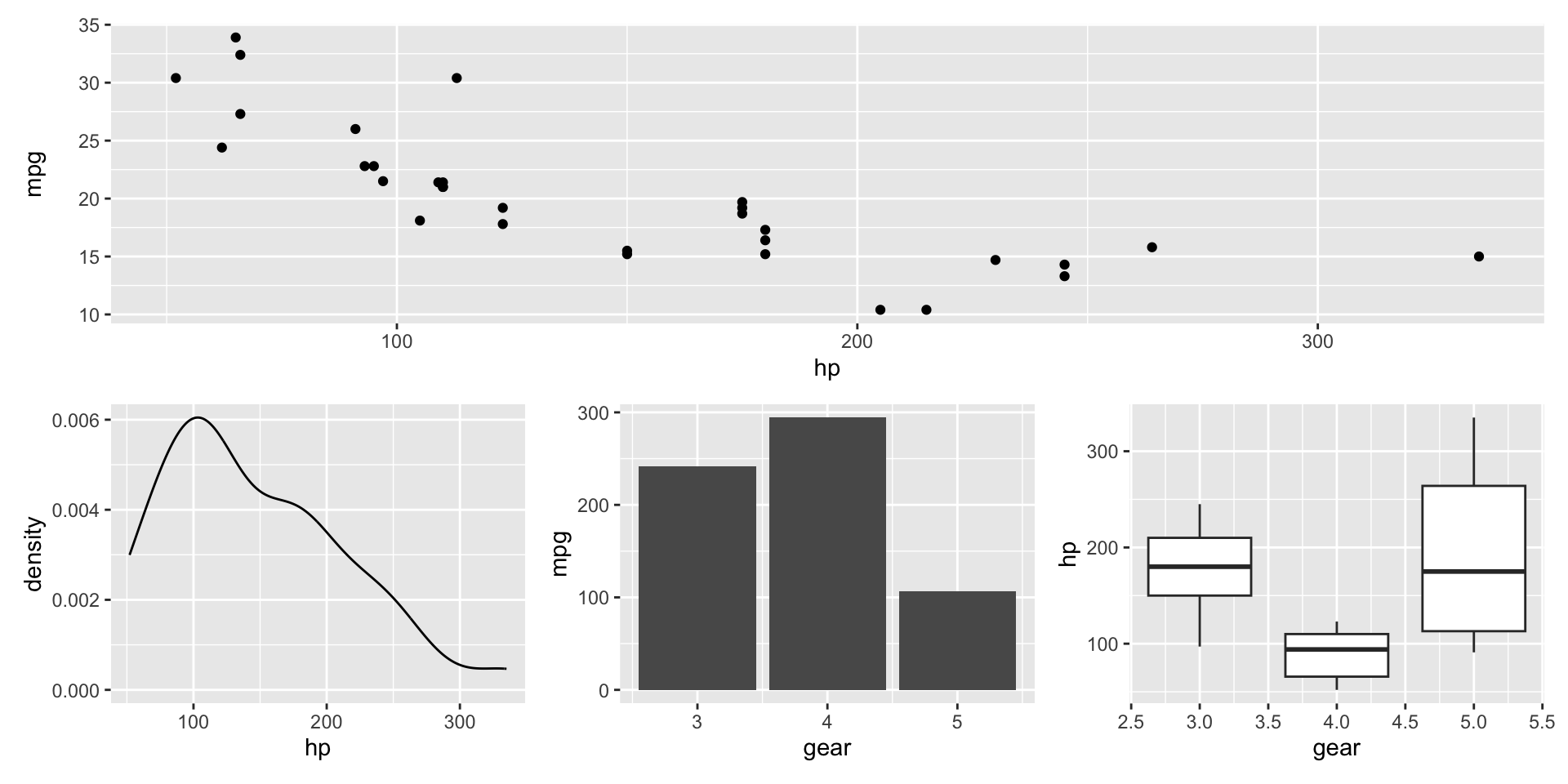
p1 / (p2 | p3 | p4)
Combining plots
You can set empty spaces using plot_spacer()
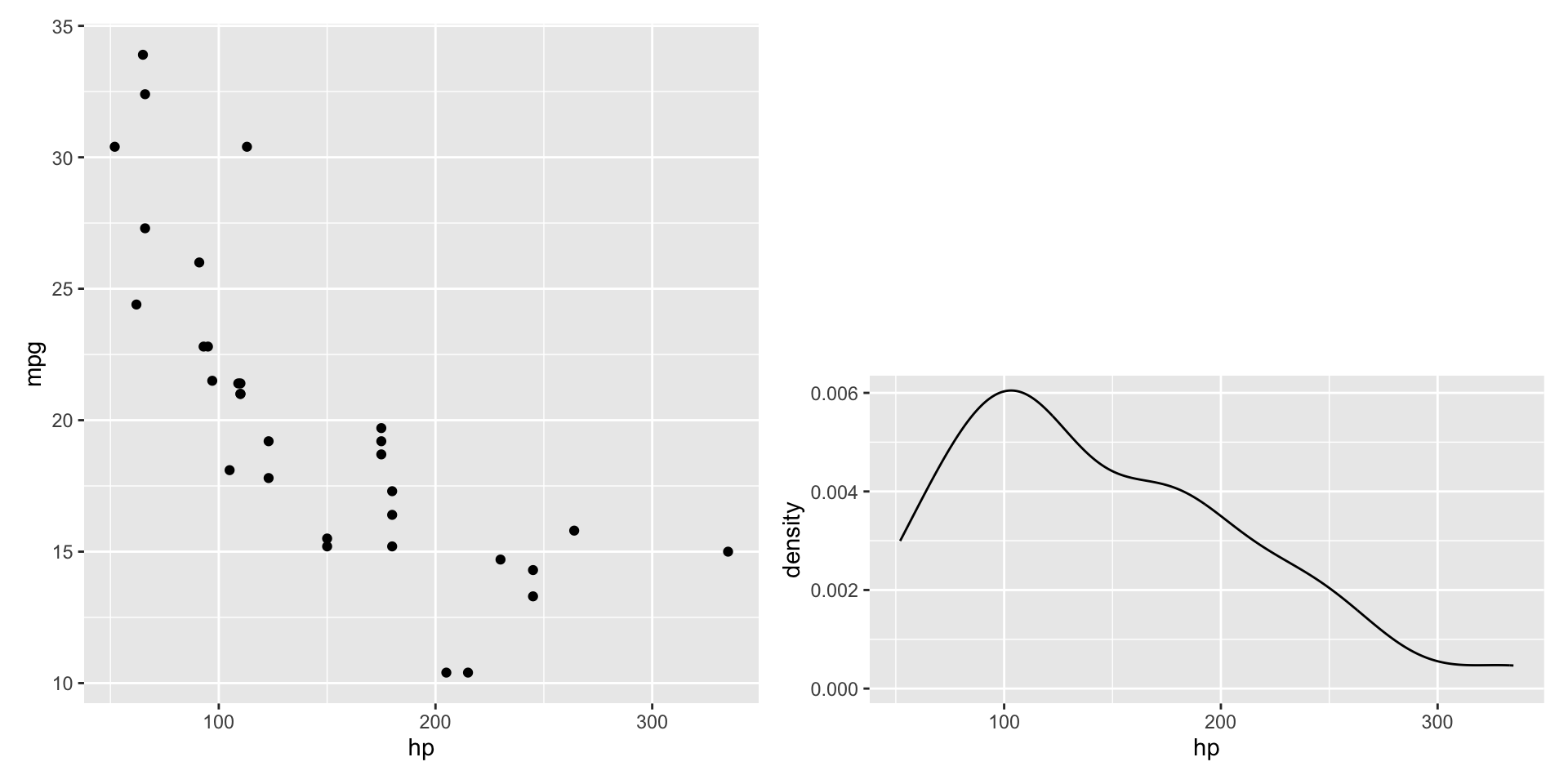
p1 | plot_spacer() / p2
Even More patchwork
A super powerful package.
. . .
- Can add plot annoations (like “Panel A”, “Panel B”, etc.)
. . .
- Add a group title
. . .
- Merge common legends across plots
. . .
- Set each column/row width/height
. . .
- Non-grid layouts
. . .
Saving Plots
Saving Plots
ggplots are easy to save with ggsave()
. . .
ggsave("filename.pdf", plot, width = 6, height = 4, units = "in"). . .
- file extension determines format of image
. . .
- “width, height, units” determine the size of the plot
Plot formats
Two main choices:
. . .
- Raster
. . .
- Vector Graphics
. . .
Plot formats
- Raster
. . .
- A specifc grid of pixels, each with a color value
. . .
- Fixed resolution and aspect ratio
. . .
- Ex: .png, .jpeg
. . .
- Vector Graphics
. . .
- A set of instructions to draw shapes at specified locations
. . .
- Never loses resolution as image sizing changes
. . .
- Ex: .pdf, .svg
Summary
Lecture Summary
- Using
ggplot2to create simple plots- Data, aesthetics, geoms, layers
- Scales, labels, themes
- Custom themes
- Facets
patchwork- Saving plots
Live Coding Example
- An example plot with the
midwestdataset (comes withggplot2)- Using the “county” column as text labels
- Using “area” and “poptotal” columns for x and y
- Using “state” column for color (or facet)
Coding Exercise
- Create a plot with the
diamondsdataset (comes withggplot2)
- Use “carat” and “price” columns for x and y
- Use “cut” column for color
- Use “clarity” column for facet
- Create a second plot (could be anything) and combine them with
patchwork