Presentation Tips
Advice about presentations and practice
April 15, 2026
Presentation Tips
Other Useful Resources
- How to Give an Applied Micro Talk by Jesse Shapiro
- Tips + Tricks with Beamer for Economists by Paul Goldsmith-Pinkham
- Tips on how to avoid disaster in presentations by Monika Piazzesi
- Public Speaking for Academic Economists by Rachel Meager
- An Economist’s Guide to Visualizing Data by Jonathan A. Schwabish
Tips for Presentations
- Practice
- Practice = speaking out loud
- Limit text used on slides
- Walls of text are hard to read, shorter lines are more emphatic
- Introduce your figures
- Explain the x-axis, the y-axis, each line, then the takeaway
- Use colors for emphasis, not decoration
- One piece of colorful text draws attention
Tips for Research Seminars
- Practice, practice, practice
- You should know what you will say on every slide
- Be able to start on any slide
- Goal: 2 slides of introduction
- First slide: positioning / hook, research question, answer
- Second slide: key mechanism / key results
- Present slowly
- Rule of thumb: 1 slide per 2 minutes
- If you are going faster, people are not comprehending your material
- Lecture slides \(\neq\) seminar slides
Slide Style and Design
Same Content in a 16:9 Frame
Sample Slide Content16:9 frame
This is a simple test slide to demonstrate how the same content is framed.
- An example bullet point that is kind of long
- Another bullet point that is also kind of long
- A third bullet point that is even longer than the other two bullet points to show how text wraps in this format
Some more text that is actually like a paragraph of text that is meant to show how paragraphs look in this presentation format. Here is another sentence in the same paragraph to show how text wraps in this format. And it could keep on going.
Same Content in a 3:2 Frame
Sample Slide Content3:2 frame
This is a simple test slide to demonstrate how the same content is framed.
- An example bullet point that is kind of long
- Another bullet point that is also kind of long
- A third bullet point that is even longer than the other two bullet points to show how text wraps in this format
Some more text that is actually like a paragraph of text that is meant to show how paragraphs look in this presentation format. Here is another sentence in the same paragraph to show how text wraps in this format. And it could keep on going.
Same Content in a 4:3 Frame
Sample Slide Content4:3 frame
This is a simple test slide to demonstrate how the same content is framed.
- An example bullet point that is kind of long
- Another bullet point that is also kind of long
- A third bullet point that is even longer than the other two bullet points to show how text wraps in this format
Some more text that is actually like a paragraph of text that is meant to show how paragraphs look in this presentation format. Here is another sentence in the same paragraph to show how text wraps in this format. And it could keep on going.
Color Palettes
Multiple R packages exist for color palettes.
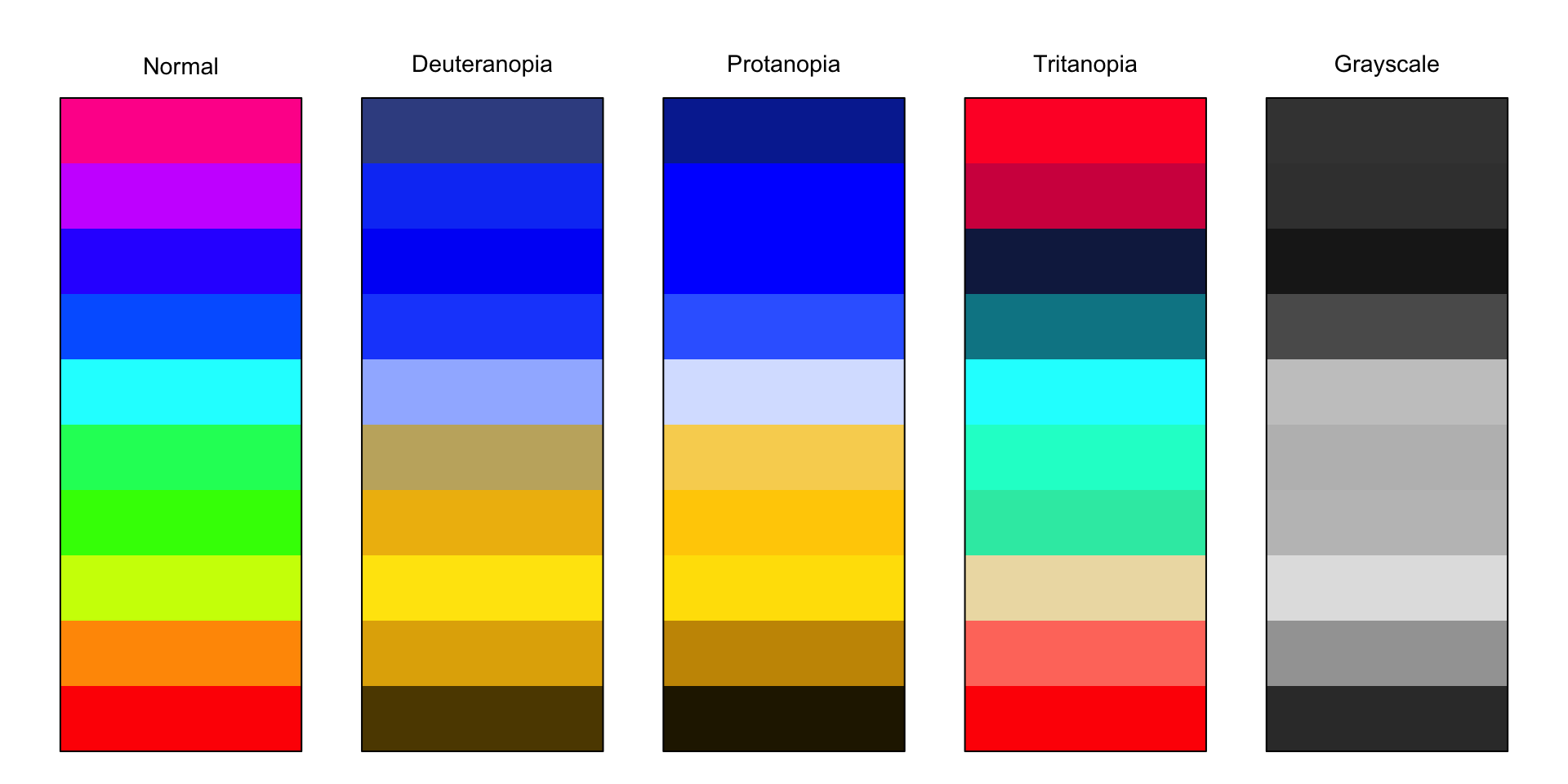
- “rainbow” palette used to be the Matlab default

Color Blindness
A problematic palette for colorblindness and grayscale:
Color Blindness
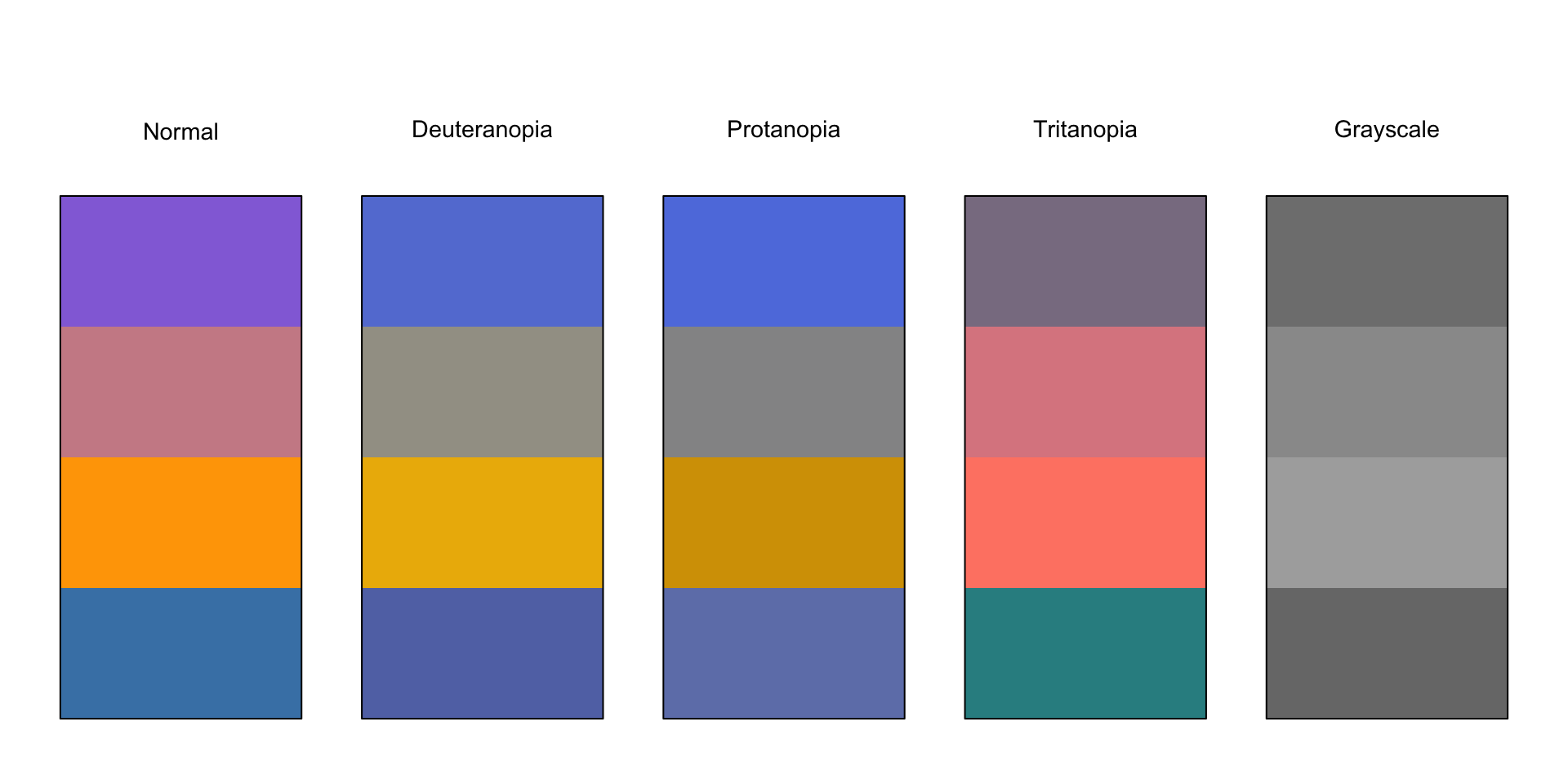
My usual colors, also not great:
Color Blindness
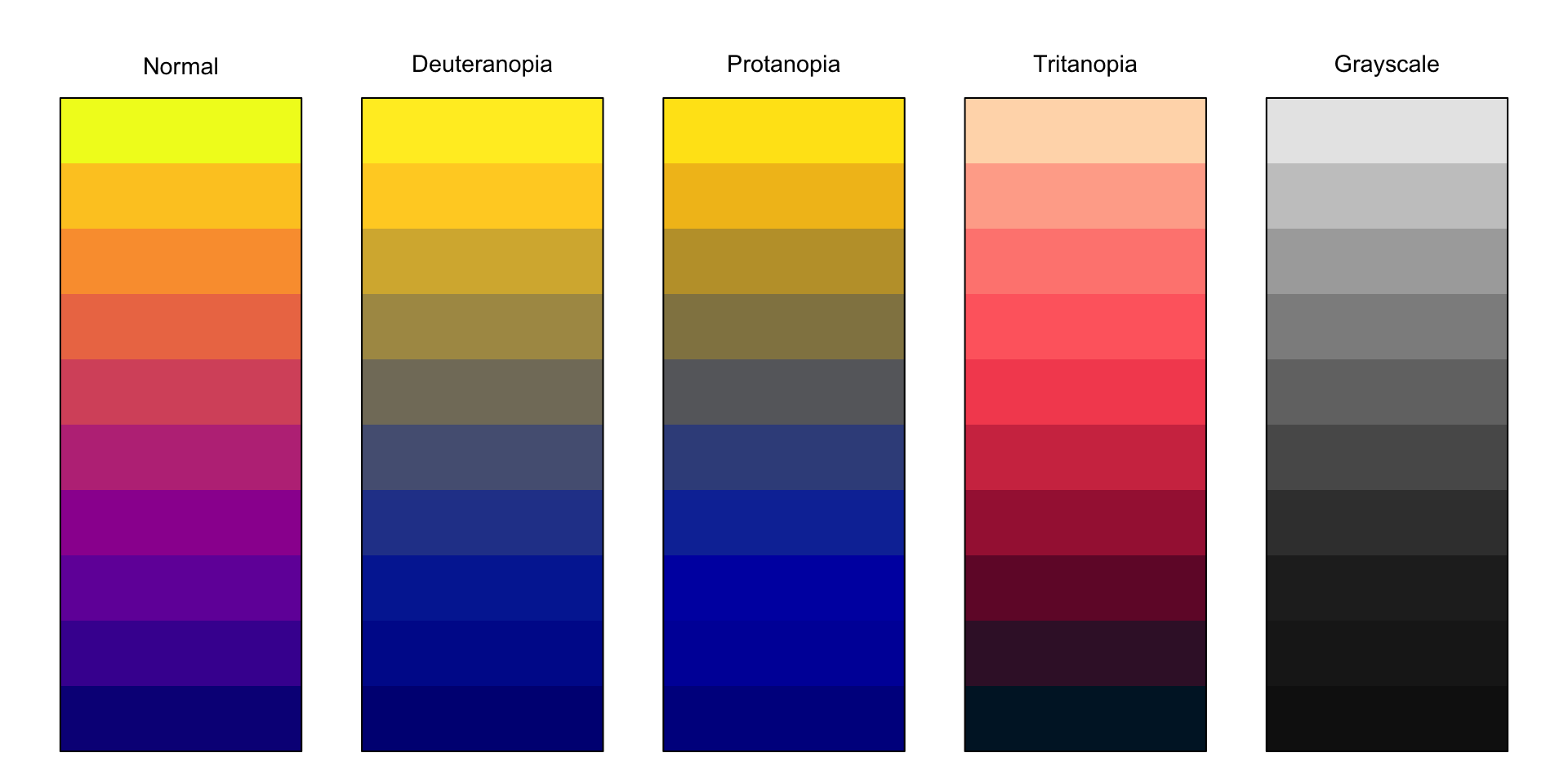
A colorblindness friendly palette:
Projecting Tips
Projecting
Projecting is a skill — requires practice.
- Projecting \(\neq\) yelling
Projecting =
- Speaking with your diaphragm, not your throat
- Enunciating clearly
- Speaking at a moderate pace
- Creating resonance in your chest
Practice: record yourself presenting, place microphone across the room
Projecting Exercises
Feeling your diaphragm move:
Place hands on stomach and lower back, speak normally
Take deep breaths
Say “Ha” while exhaling from stomach
Feeling “resonance” in your voice:
Place hand on chest, start humming
Increase your pitch, feel the vibration in your head
Lower your pitch, feel the vibration in your chest
Practice Presentation
- Three example slides
- Pulled from one of my research projects
Introduction
A New Measure of Financial Conditions
Matthew DeHaven, Brown University
Construction of the VFCI
The Volatility Financial Conditions Index (VFCI) is a measure of the market price of risk.
- The market price of risk is a theoretical concept that captures the compensation investors require for bearing risk.
We estimate the VFCI, using:
- financial market data,
- the volatility of consumption.
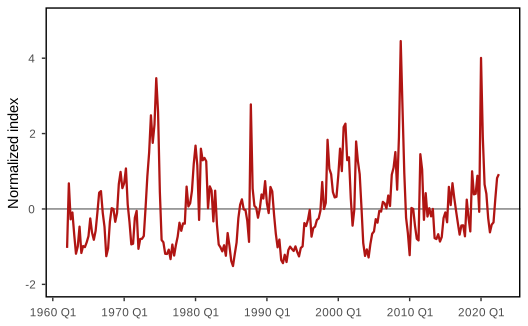
The VFCI Spikes during Financial Stress