[1] 2
attr(,"match.length")
[1] 1
attr(,"index.type")
[1] "chars"
attr(,"useBytes")
[1] TRUEGitHub Copilot
Using Artificial Intelligence to Write Code
Matthew DeHaven
February 4, 2026
GitHub Copilot
What is GitHub Copilot?
- An AI programmer tool
- Can be accessed
- in the browser
- in Visual Studio Code
- in other IDEs
- Provides both code completion, chat, and agent features
Documentation (some examples are included in this presentation)
Github Copilot Subscriptions
- Free (limited requests and code completions)
- Pro (unlimited requests and code completions, limited requests to premium models)
- Pro+ (more premium models and requests)
Github Student Developer Pack gives you access to the Pro version.
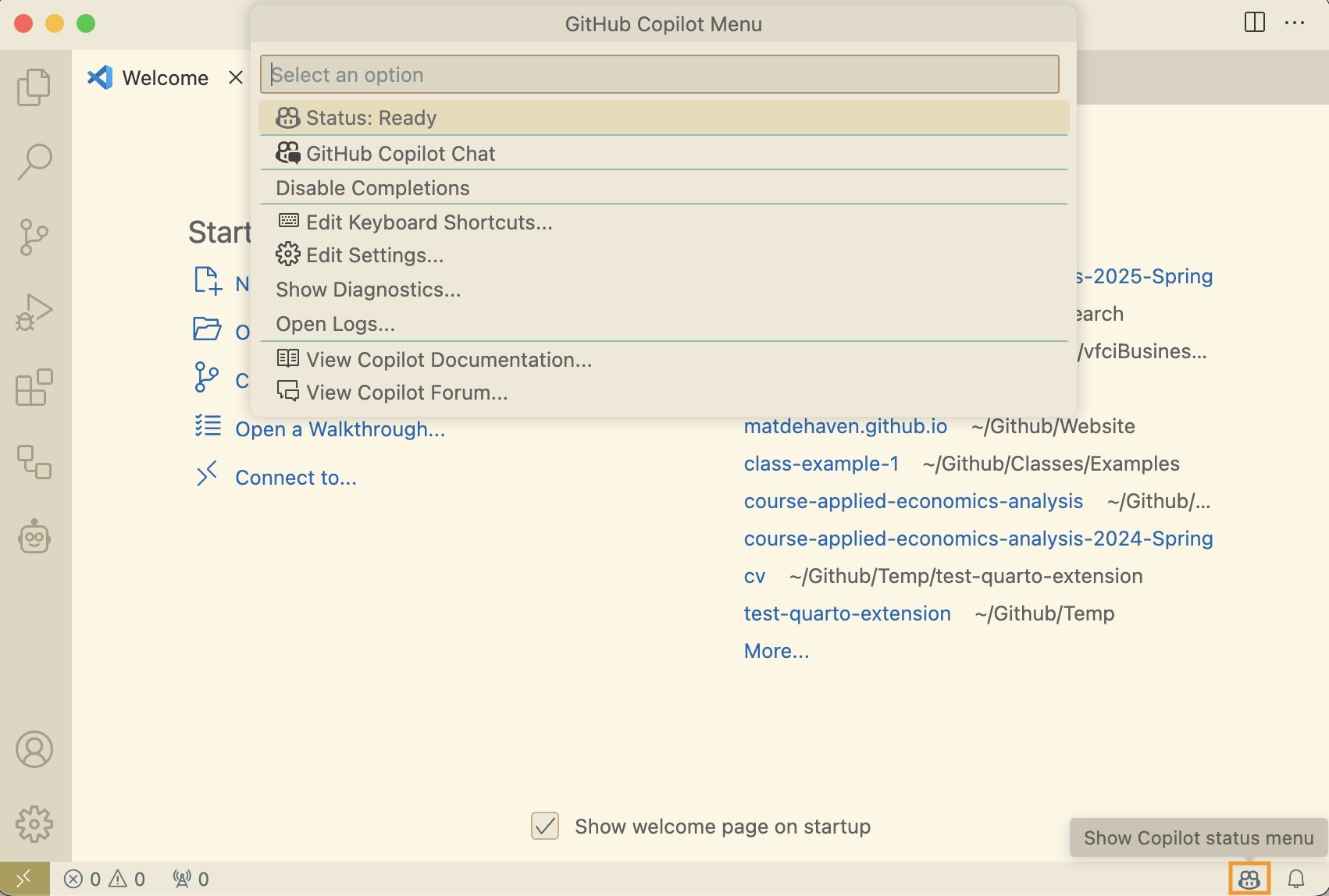
Github Copilot Icon in Status Bar
Tells you that Copilot is active, opens some settings and options.
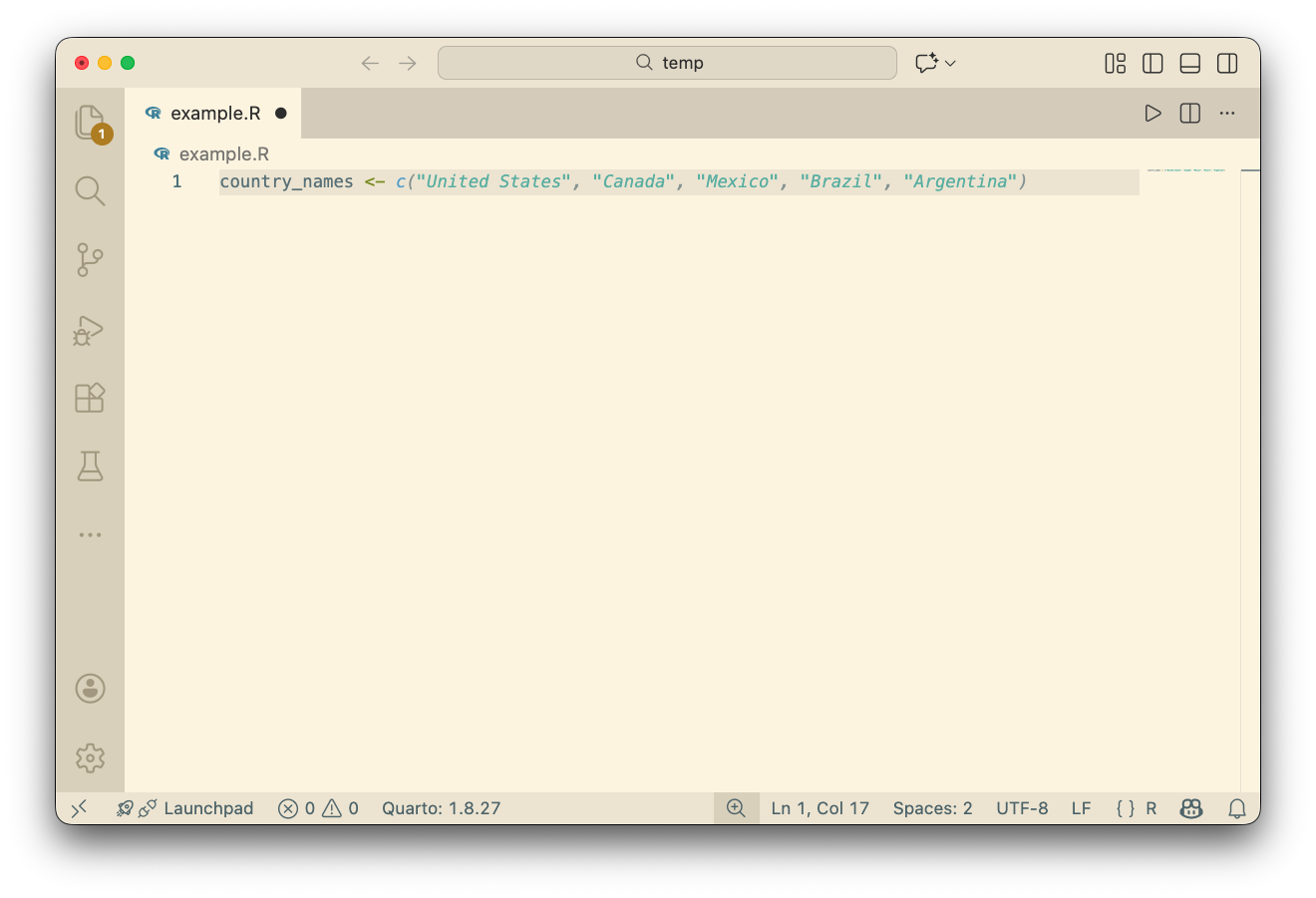
Inline Suggestions
Also called “code completions”: shows up in the editor
Accepting Inline Suggestions
Two options to accept suggestions:
- Tab
- Accepts the entire suggestion
Cmd + Right Arrowto accept part of the suggestion
- Accepts the next portion of the suggestion (~1 word at a time)
Alternative Suggestions
Hover over the suggestion to see alternative suggestions. 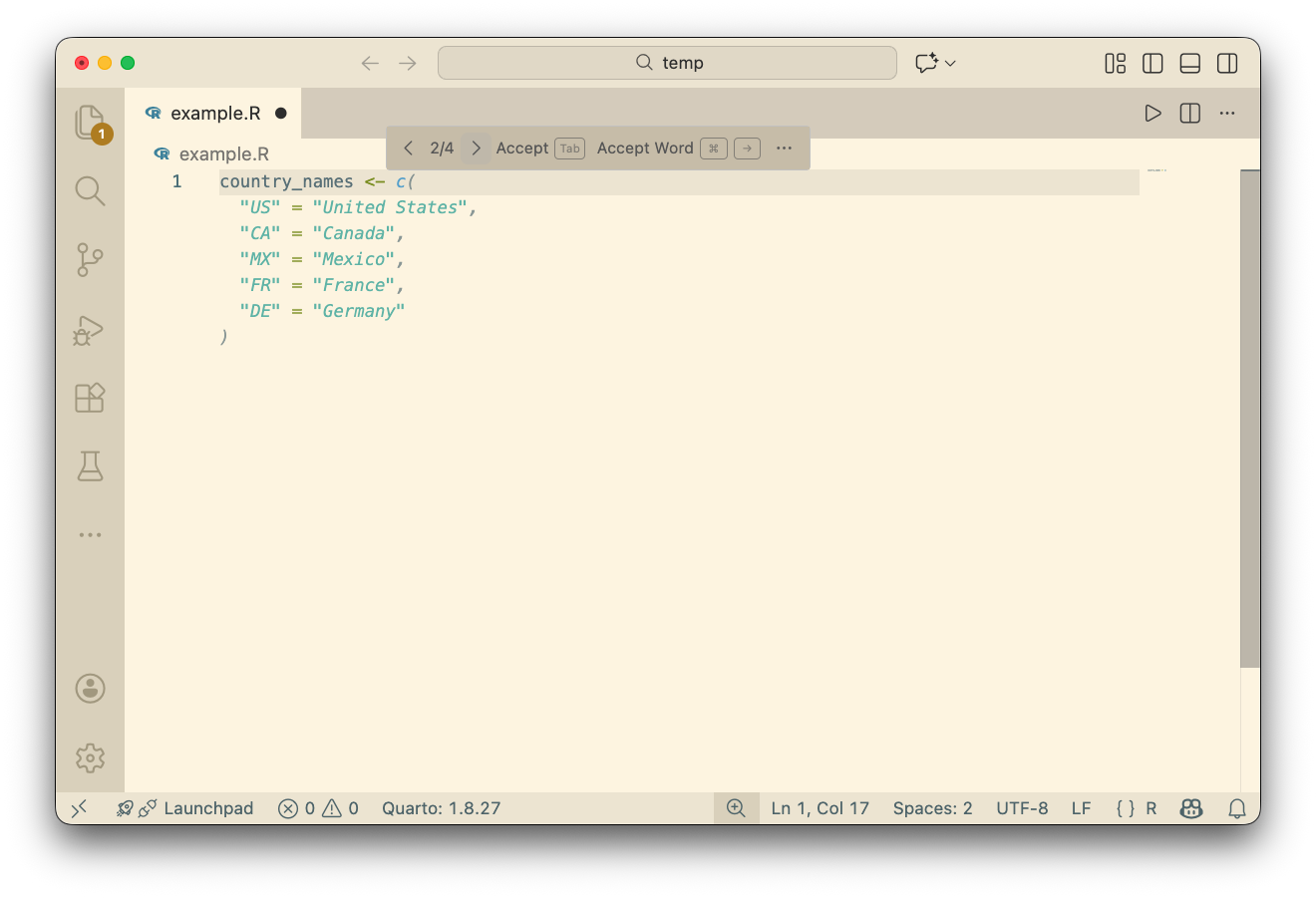
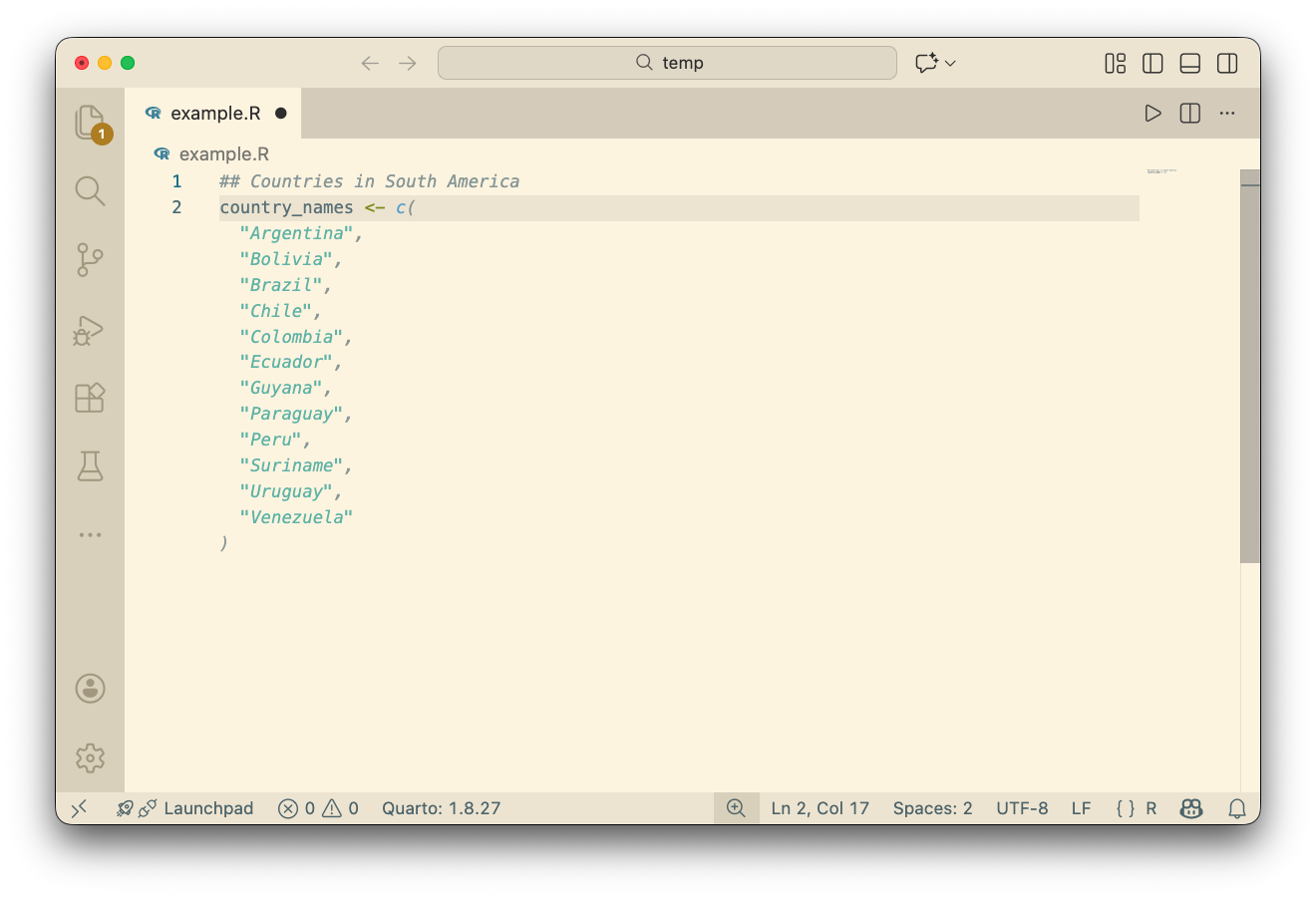
Suggestions from Comments
Copilot will use information in comments to provide suggestions.
Chat with Copilot
You can open a chat interface to interact with the Copilot LLMs.
This is a standard-ish chat interface.
Allows for:
- long responses
- back-and-forth interaction
- agentic tasks
Opening the Chat
Two options to open the chat interface:
- button at the top of the editor
Ctrl + Cmd + Ito open chat sidebar
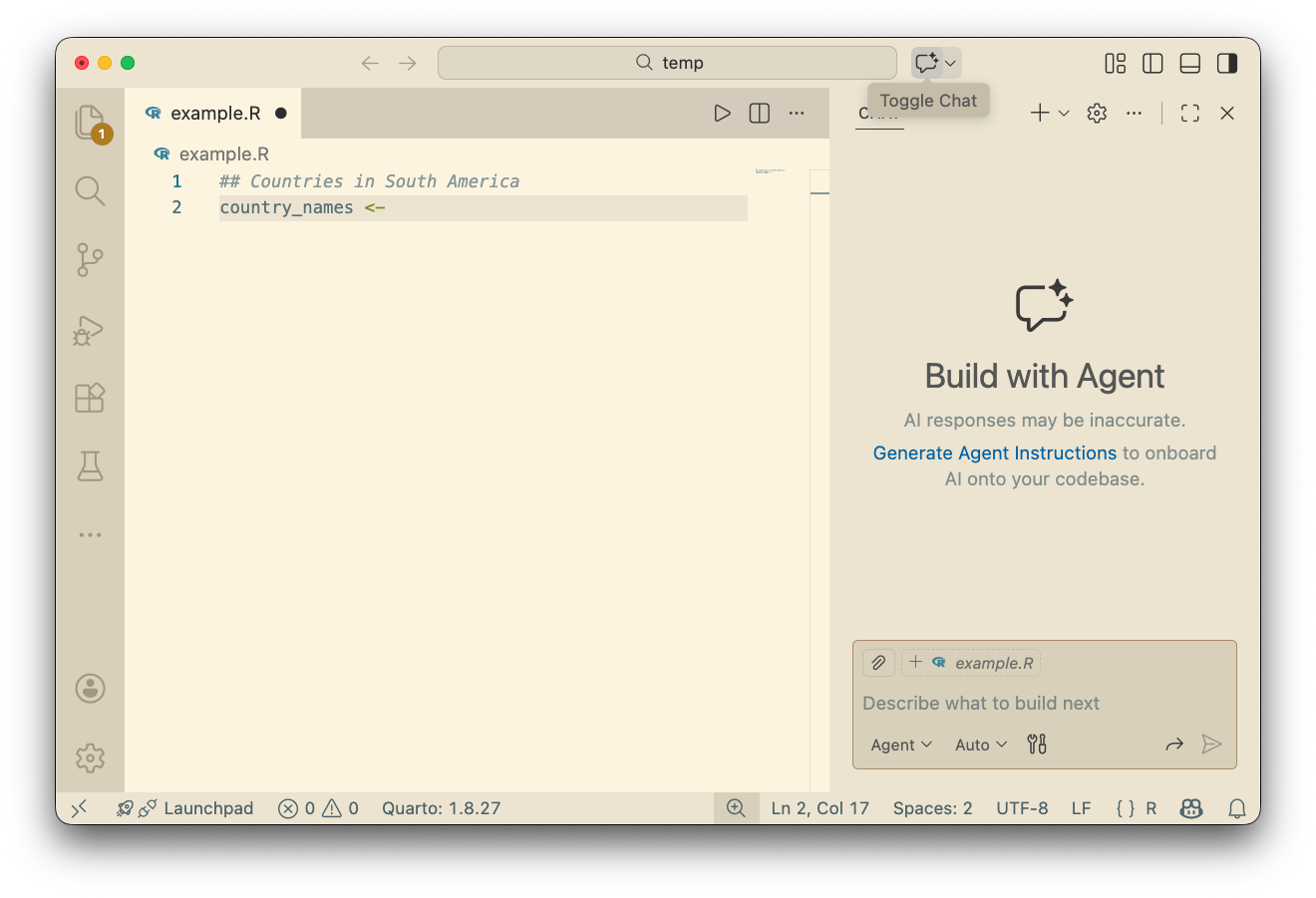
Chat Sidebar
In “Ask” mode, provides a traditional chat interface.
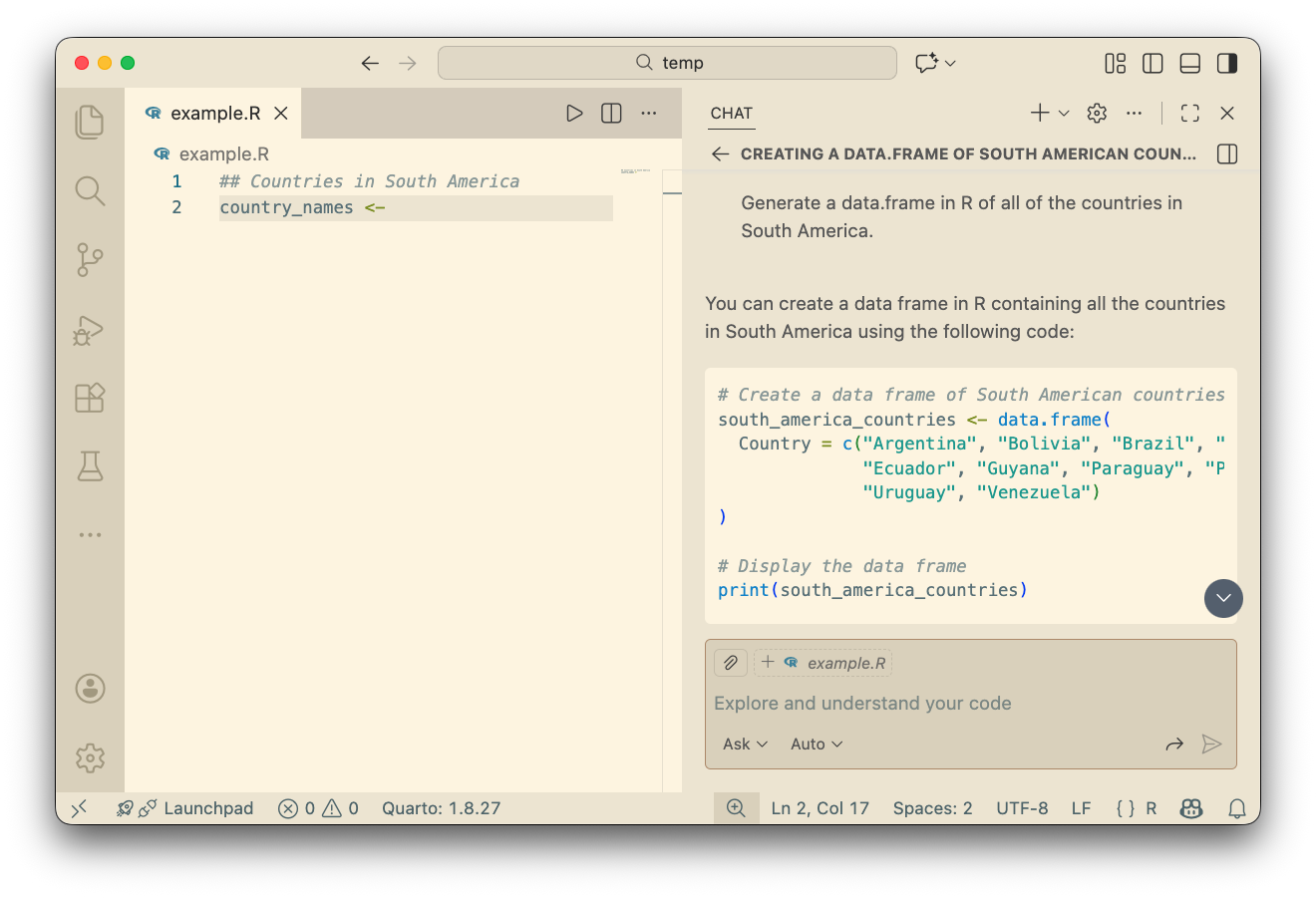
Providing References
You can provide specific references to Copilot:
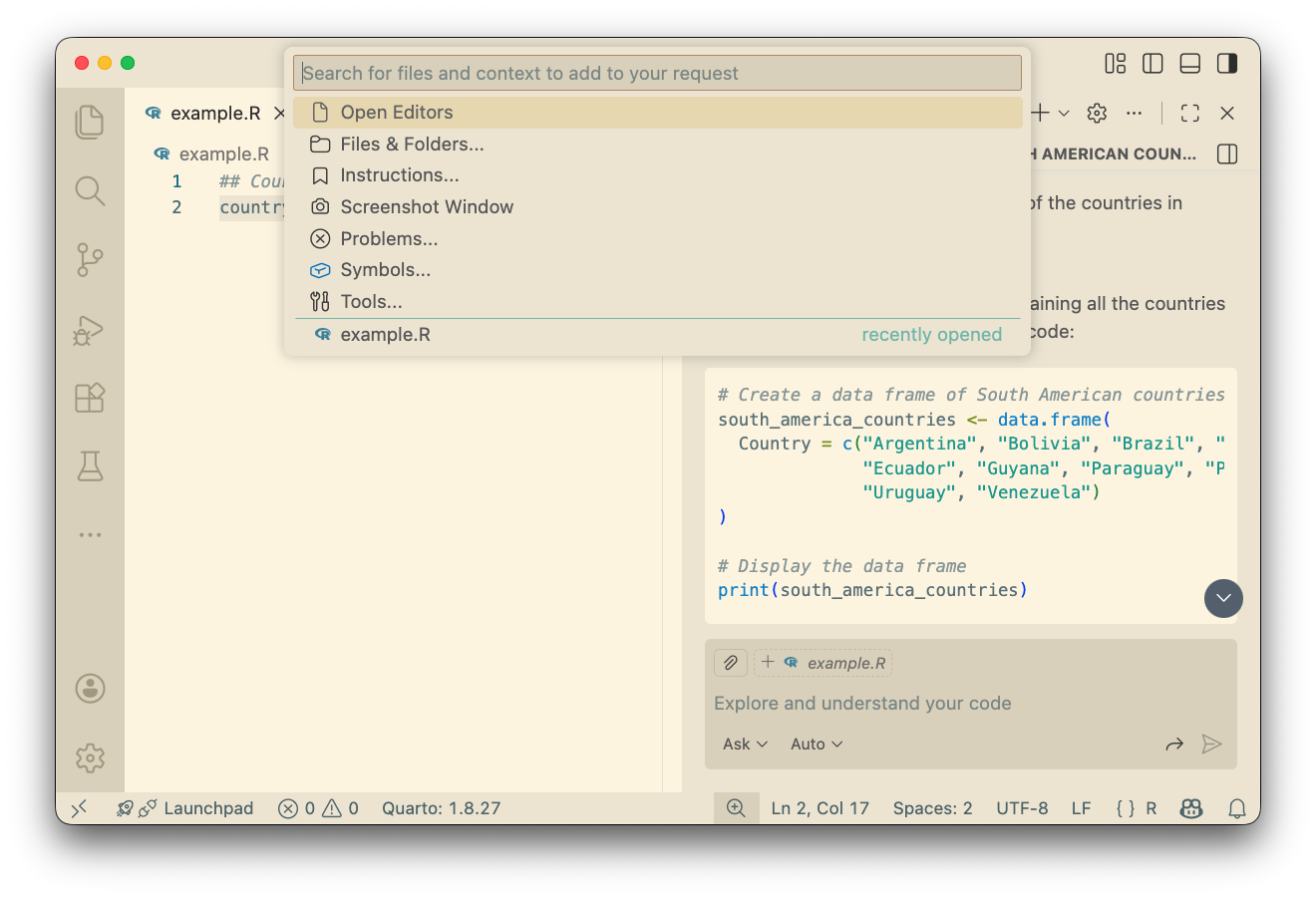
Copilot Default References
By default, Copilot uses the following for references
- currently open files
- highlighted text
- comments in the code
- previously asked questions (in chat)
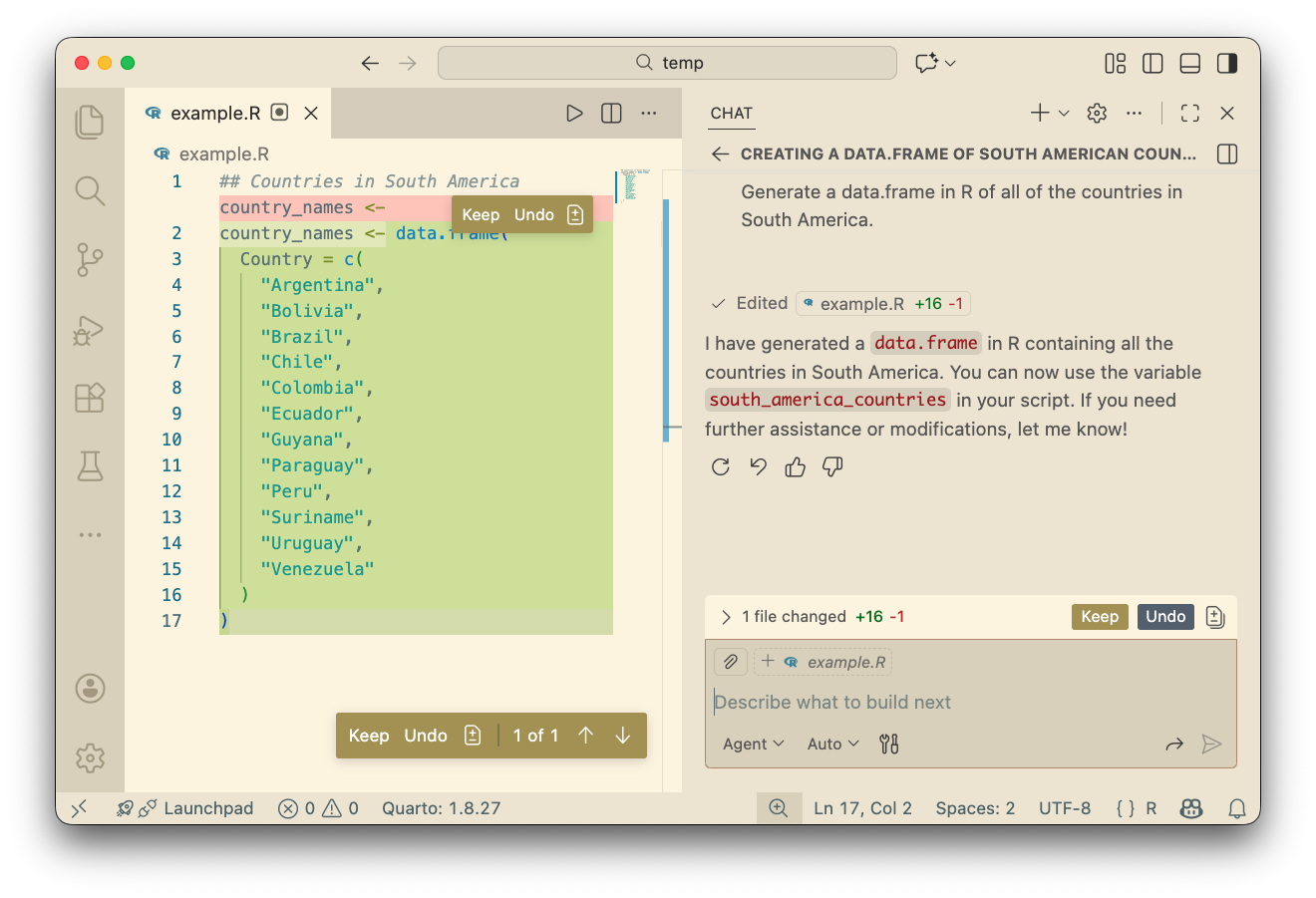
Agent Mode
In “Agent” mode, Copilot can edit files directly and run some commands (with permissions).
Switching Models
By default, the model use is set to “Auto”.
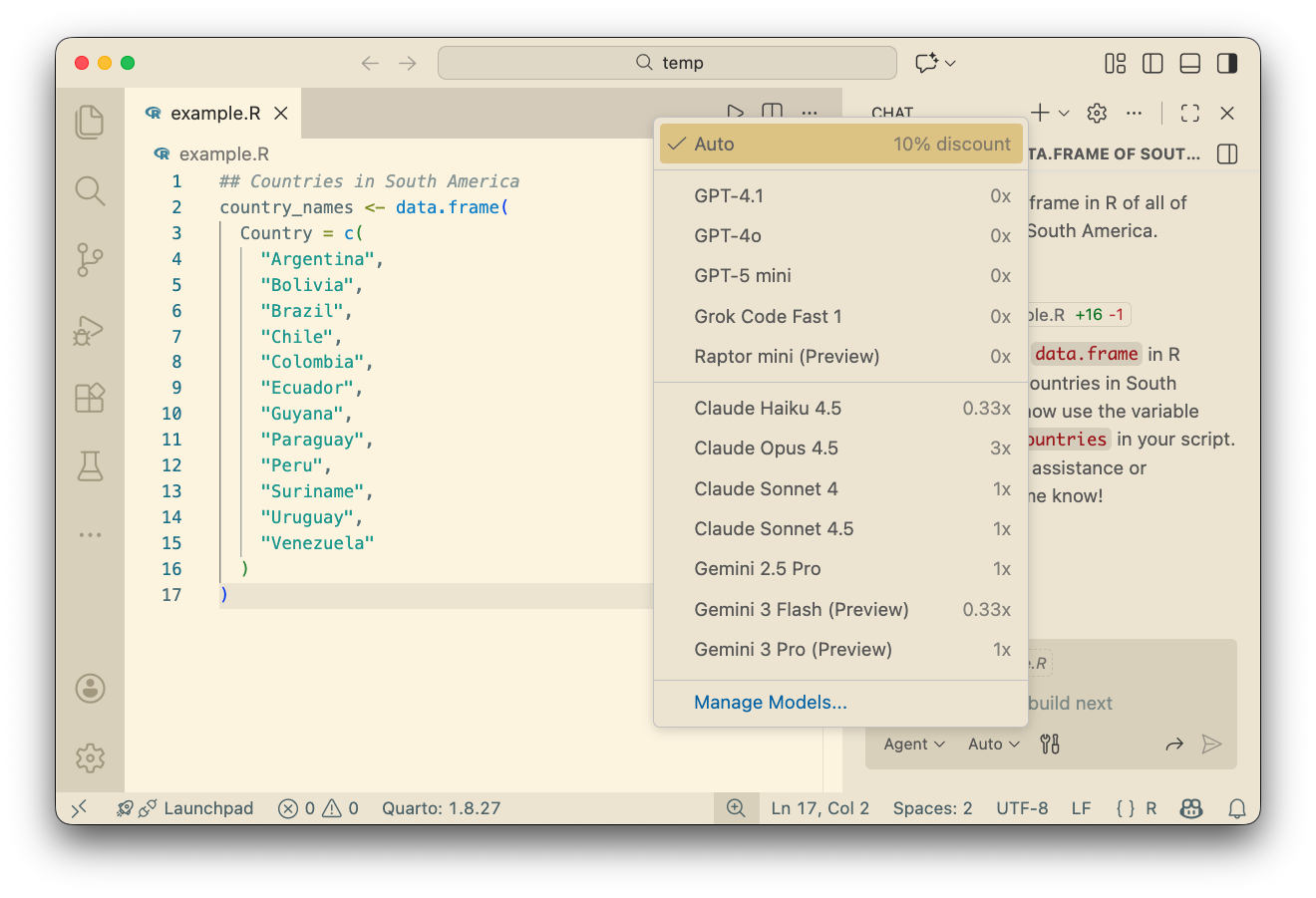
Available AI Models
The list of available models changes frequently.
Different models have different rates (some count more to your usage limit).
Best Practice: Descriptive Code
Being descriptive in your code can help Copilot provide better suggestions.
- Use descriptive variable names
- Use comments
- Use descriptive function names
All of these will improve (1) Copilot and (2) your code.
Custom Instructions
- Turn on the option
github.copilot.chat.codeGeneration.useInstructionFilesin VS Code settings - Create a file at
.github/copilot-instructions.md
LLMs Make Mistakes
No guarantee that the code generated is correct
- might not run
- might give incorrect result
LLMs also like to suggest code that it has seen before.
- Tend to suggest the most common R packages and functions
- Struggles if the package is very new (not in the training set)
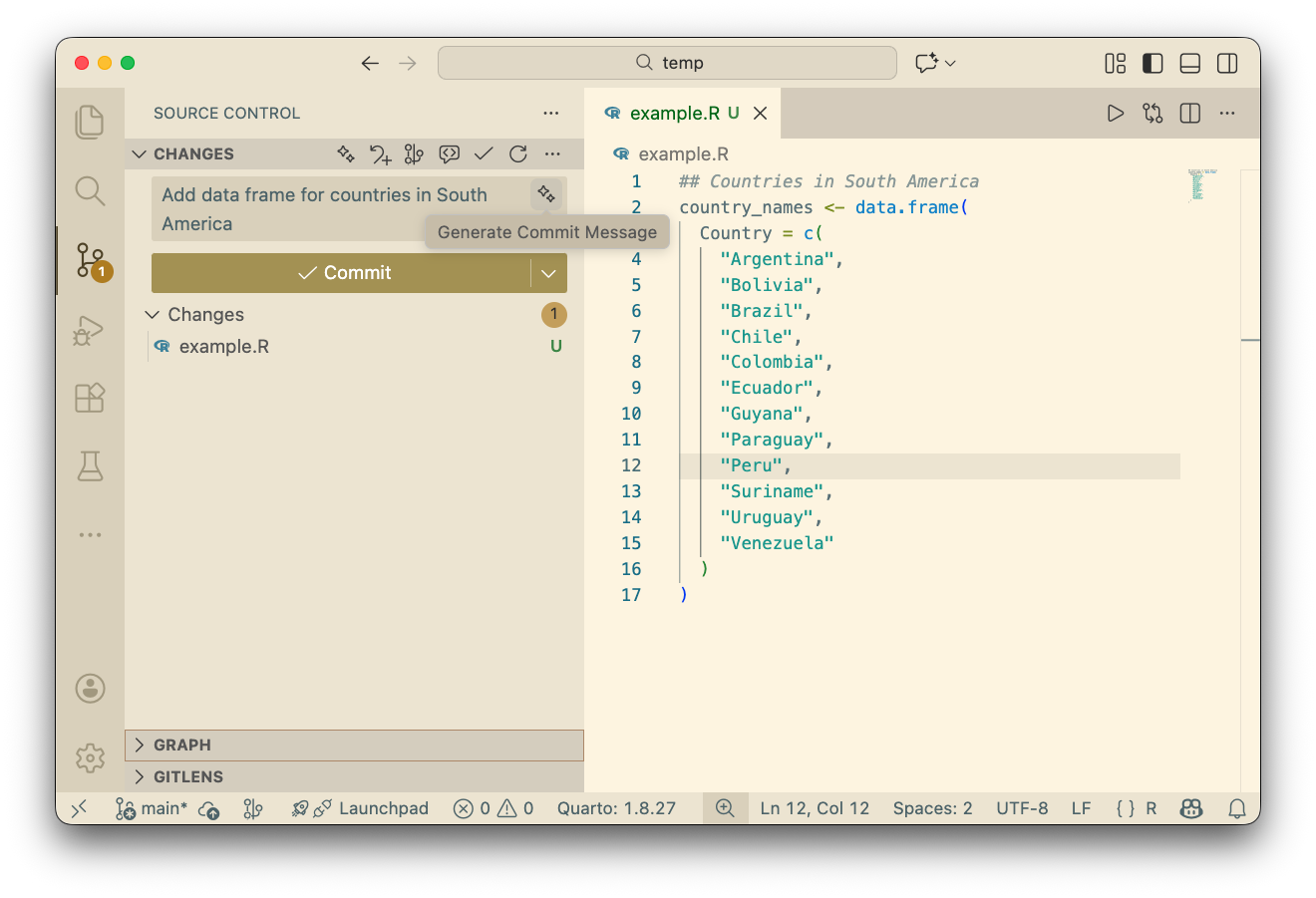
Generate Commit Message
Copilot will also suggest commit messages based on the changes you made.
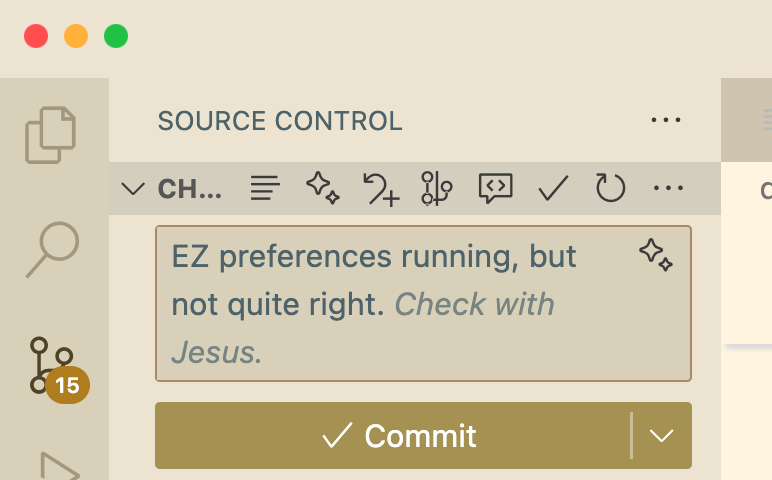
Funny LLM Moment
Class Activity
Class Activity
Go to GitHub Copilot online: https://github.com/copilot
In pairs,
Each partner select a different model (e.g. GPT-X, Claude X.X, Gemini X)
Ask about a coding task or concept from the course
- ex. “Explain the difference between git and GitHub”
Compare the responses from the different models
GitHub Copilot with R
Regular Expressions (regex)
Regular expressions are a powerful tool for working with text data.
- matching patterns in strings
This tool exists and works in a similar way in many programming languages.
After introducing regex, we will see how Copilot can help you implement this tool.
R Regex
Regular expressions ask for a pattern to be matched in a string.
R grep()
“Global Regular Expression Print”
This function will return the words with a positive match.
[1] "apple" "banana"R gsub()
Another common use is to replace pattern matches.
[1] "mean gdp" "median gdp" "mean income" "median income"This can be very useful for:
- renaming columns of a table
- formatting variable names for plots
- cleaning text data
Regex Patterns
Special characters in regex pattern:
.any character^start of string$end of string
Number of pattern to match
*zero or more of the preceding character+one or more of the preceding character?zero or one of the preceding character{n}exactly n (some number) of the preceding character
Example of Regex Patterns
Regex Patterns
Character classes
[abc]a, b, or c[a-z]any lowercase letter[A-Z]any uppercase letter[0-9]any digit[^abc]not a, b, or c
Escape character
\to escape special characters- i.e.
\^to match the character^
- i.e.
Example of Regex Patterns
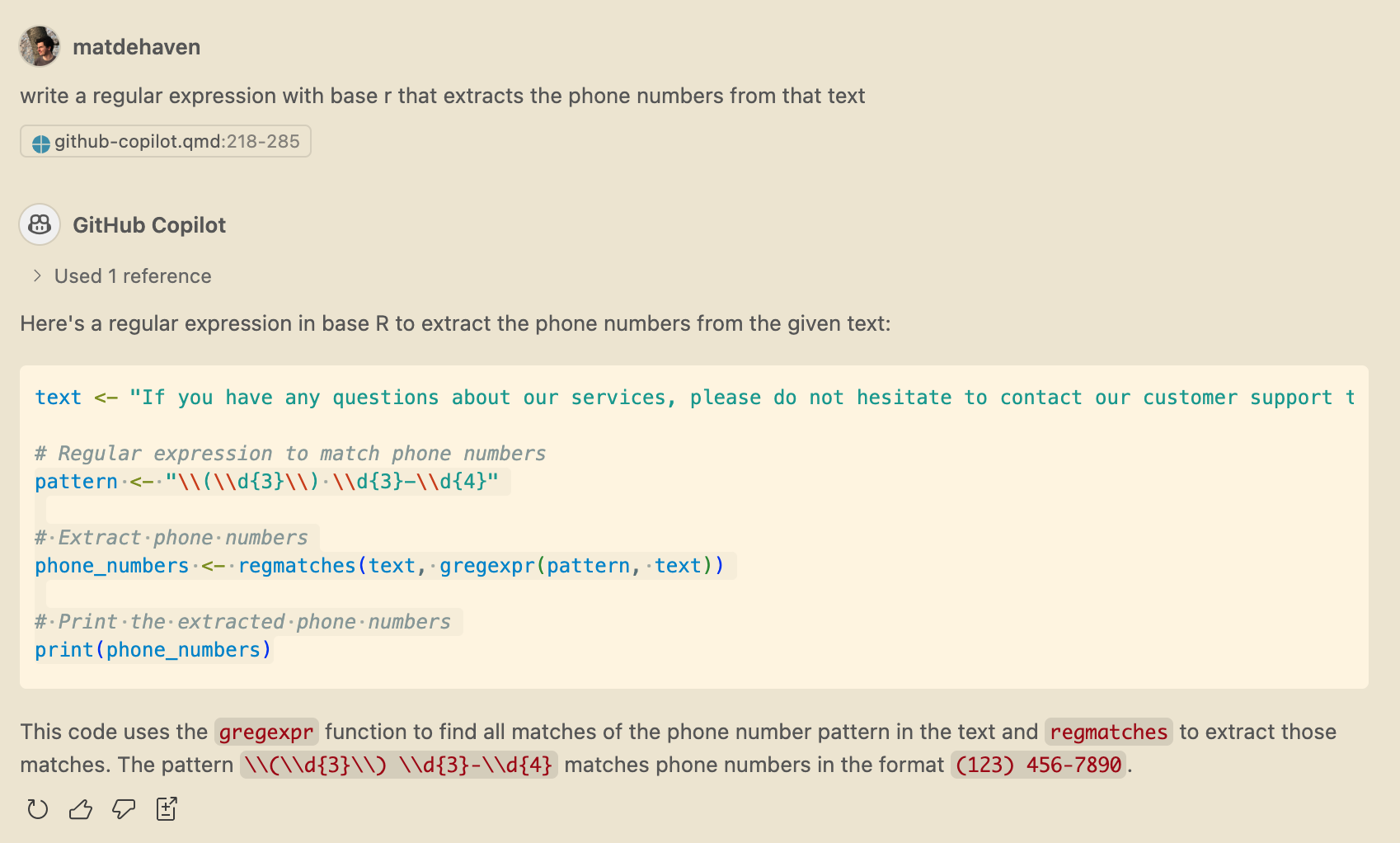
Extracting Phone Numbers
text <-
"If you have any questions about our services, please do not hesitate to contact our customer support team.
You can reach us at (123) 456-7890 for general inquiries. For technical support, please call (987) 654-3210.
Additionally, our sales department can be contacted at (555) 123-4567 for any questions related to new purchases or product information.
We are here to assist you with any needs you may have."

pattern <- "\\([0-9]{3}\\) [0-9]{3}-[0-9]{4}"

# Extract phone numbers
phone_numbers <- regmatches(text, gregexpr(pattern, text))Look Ahead and Look Behind
If you want to match a pattern but not include part of it in the match, you can use look ahead and look behind.
- Look ahead
(?=...) - Look behind
(?<=...)
where ... is the pattern to match.
I find this very useful for separating out multi-variable names.
Look Ahead and Look Behind
[[1]]
[1] "mean"

[[2]]
[1] "median"[[1]]
[1] "gdp"
[[2]]
[1] "income"Saving the Day (from XKCD)
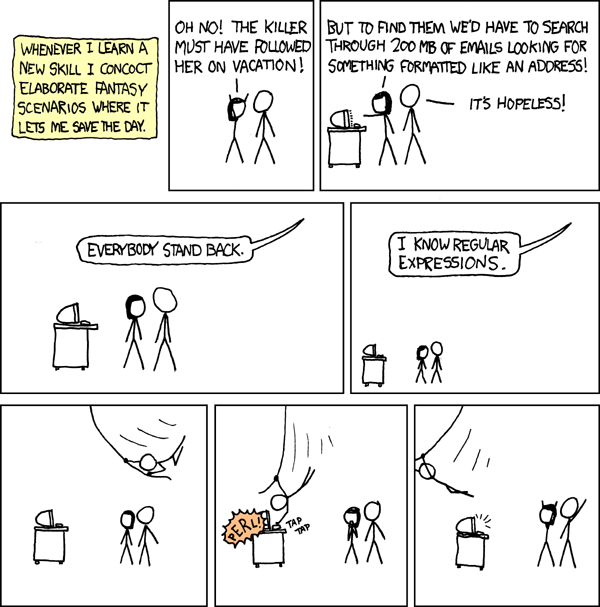
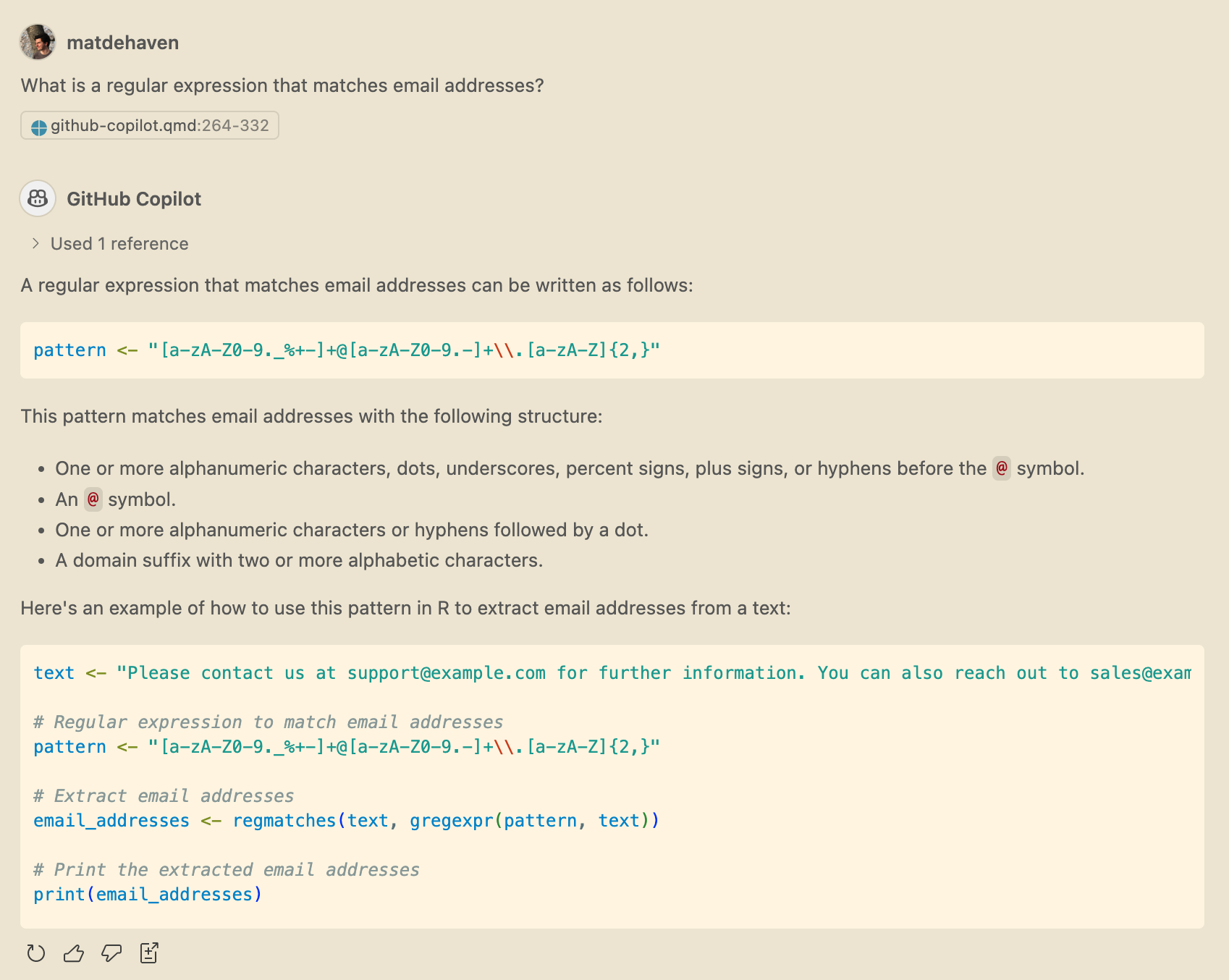
Copilot can help you write regular expressions!
Another example
Regular Expressions in R
If you do ever use regex in R, I recommend the stringr package.
We haven’t introduced packages yet, but stringr has intuitive functions for working with text data and regex.
Copilot and learning R
- Copilot can help you learn to code
- It can also replace some knowledge you’ll now never need
- you probably do not need to memorize regex patterns
- But you need to understand what you are doing
- Knowing “how” to program is still important
AI is currently
- very good at generic coding tasks,
- but your research will require some non-generic tasks.
Live Coding Example
Live Coding Example
- Copilot in VS Code
- Writing a for loop or an lapply with Copilot
- Ask vs. Agent vs. inline auto-complete